
Screenshots
Related Apps
![]()
Broken Screen Prank
![]()
Fingerprint Scanner App
![]()
Firefox Fast & Private Browser
![]()
Allergy Plus by Pollen.com
![]()
Find My Phone By Clap, Whistle
![]()
Planner 5D: Home Design, Decor
![]()
Ghost Detector Real Life Radar
![]()
Pride Quiz LGBTIQ+
![]()
Galaxy Starry Keyboard Backgro
![]()
Instagram
![]()
Fun Fact- My Personal Fact
![]()
Audible: Audio Entertainment
![]()
Photo Frames
![]()
Photo Collage Maker & Editor
![]()
Japan Timetable & Route Search















About this app
 NameShell
 CategoryProductivity
 PriceFree
 Safety100% Safe
 DeveloperShell Information Technology International B.V.
 LabelMaps & Navigation
editor reviews
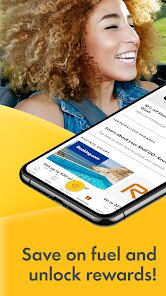
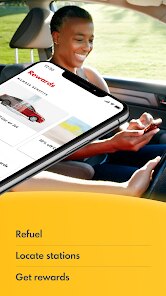
Shell is a fuel and energy app in the productivity category that focuses on helping you find stations, pay for fuel, and earn rewards. I started using it about a year back when I was looking for an easier way to pay at the pump without digging for my wallet. You can download it from Google Play and the App Store, and it has over 10 million installs on Google Play alone. The app itself is free to download, but you do need to create an account to use the payment features. It shows you nearby Shell stations with live fuel prices, which is very helpful when you are on a budget. There are also in-app offers and a loyalty program called Shell Go+, where you earn points on every fill-up. The app shows your transaction history, so you can track how much you are spending on fuel each month. I don't see any annoying ads popping up, which is a big plus for a free app. You can pay using your phone at the pump via the Shell Pay feature, and it works at most stations I have visited. The app also lets you find stations that have specific services like car washes, air pumps, or convenience stores. Overall, it is a clean, simple app that saves time and helps you plan your fuel stops better.
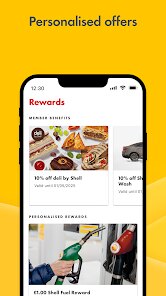
Using the app is pretty straightforward once you set it up. When I am low on fuel, I open the app and let it find the nearest Shell station using my location. It shows the price per liter so I can pick the cheapest option nearby. At the station, I just scan the QR code at the pump through the app, confirm the payment, and start fueling. No need to go inside or even take out my card. I also use the trip planner feature sometimes when I am going on a long drive. Enter your destination, and the app shows you Shell stations along the route. My tip is to always check the live offers tab before filling up because sometimes there are bonus points or discounts. I also recommend linking your credit card to the app for faster checkout. You can even set up a payment PIN for extra security. Another handy tip is to use the app to pay for car washes as well, because it combines both bills in one receipt. The app interface is fairly intuitive, so even if you are not very tech savvy, you can figure out most functions in a few minutes.
I have tried a few other fuel apps like BPme or Esso Extra, but I keep coming back to Shell because of the reward system. The points you earn through Shell Go+ can be redeemed for discounts on fuel, coffee, or snacks at the store. BPme is also good for finding stations and paying, but their rewards program is not as generous in my area. Esso Extra is fine if you use that brand often, but they don't have as many stations on the highway. With Shell, I feel like I am always getting a little back for every fill-up. Plus, the app has a really clean design, and it updates fuel prices quickly, which is important for me. Some apps lag with price updates, but Shell seems to refresh frequently. Another reason I stick with Shell is that their stations are everywhere, so I rarely have to go out of my way. The customer service through the app is also decent, and I was able to get help fast when I had a payment issue once. It is not perfect, but it is the best fuel app I have used personally.
features
- 😊 Fuel station finder with live prices – The app shows all nearby Shell stations and updates the price per liter in real time. I use this feature almost every time, especially when I want to save a few cents. The app uses your GPS, so it works even when you are in a new city. Compared to the Esso Extra app, which sometimes shows outdated station info, Shell is much more reliable with updated data. Tesco Petrol Stations also have an app, but it only covers their own sites, while Shell covers many more locations across the country.
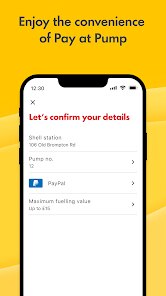
- 😊 Mobile payment at the pump – You can pay directly from the app using Shell Pay. Just scan the QR code at the pump, confirm the amount, and you are done. It saves so much time because you do not have to walk inside or swipe a card. I compare it with the BPme app, which also supports mobile payment, but Shell's interface is simpler and quicker. The transaction history is saved automatically, so you can track spending easily.
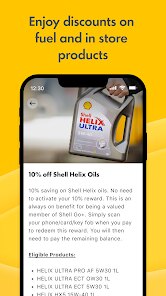
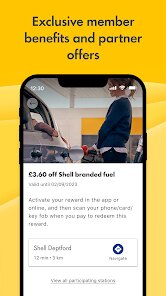
- 😊 Shell Go+ rewards program – Every liter you buy earns points that you can use for discounts on fuel, car washes, or store items. I have already redeemed a few free coffees from this. The Esso Extra app has a similar program, but Shell's points never expire as long as you stay active, which is a big advantage. I find the Shell rewards easier to track and redeem directly within the app without extra steps.
pros
- 👍 Reliable station information – The app provides accurate opening hours, services (like car wash or air pump), and fuel prices. In my experience, BP's app sometimes shows wrong info, but Shell rarely lets me down.
- 👍 Smooth mobile payment – Paying at the pump through Shell Pay is seamless. The payment goes through in seconds, and I get a digital receipt right away. Compare that to the Esso Extra app, which makes you use a separate card at the pump.
- 👍 Great loyalty perks – The Shell Go+ program is simple to understand and offers useful rewards. Other apps like Esso Extra make you jump through hoops to redeem points, but Shell keeps it direct and clear.
cons
- 👎 Occasional app lag – Sometimes the app freezes when loading station prices, especially in areas with weak signal. BPme handles offline mode better in my experience.
- 👎 Limited station services filter – You cannot filter by all services at once, like finding stations with both a car wash and a shop. Some competing apps offer more detailed filter options.
- 👎 No dark mode – The bright white screen can be annoying at night. Many apps now include dark mode, but Shell has still not added it.














































