
Screenshots


Related Apps
![]()
Pocket FM: Audio Series
![]()
FalFal: Astrology, Tarot, Love
![]()
Google Drive
![]()
Yuka - Food & cosmetic scan
![]()
GroupMe
![]()
AgeCam: Face Age Changer App
![]()
Air Horn Prank (Loud Joke)
![]()
Palm Secret - Aging&Cartoon
![]()
YouTube
![]()
Anime Girl Wallpapers
![]()
Doodle Art: Magic Drawing App
![]()
Moises: The Musician's AI App
![]()
Zodiac Palm Reader: MagicWay
![]()
DeepSeek - AI Assistant
![]()
Volume Control Sound Launcher















About this app
 NamePollo AI: AI Video Generator
 CategoryEntertainment
 PriceFree
 Safety100% Safe
 DeveloperCOCOSOFT TECHNOLOGY PTE. LTD.
 LabelEntertainment
editor reviews
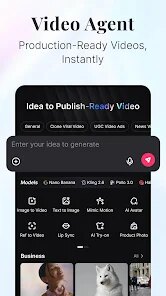
Pollo AI is a video generation app in the productivity category that focuses on turning text and images into short video clips. I found it while browsing in Google Play one night and decided to download it out of pure curiosity. The app was launched in 2024 and is available on Google Play and the App Store. It has over 5 million installs so far and is free to download. You do need to register with an email or Google account before you can use it, which took me about a minute. There are in-app purchases for extra credits if you want faster processing or higher resolution exports, and there are ads but they are not too annoying. I mainly use it to make quick social media clips without needing to learn any complicated editing software.
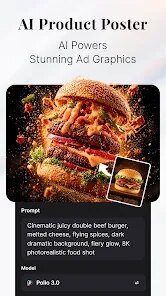
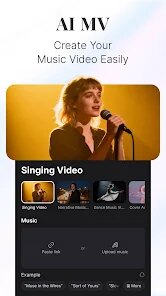
Using Pollo AI is pretty simple. You pick a style like anime, cinematic, or realistic, then type in a short prompt or upload a photo. The app takes about 30 seconds to generate a video that matches your description. I like to add some background music from the built-in library before I export. A tip I learned is to use very specific prompts like “a cat walking on a sunny beach” instead of just “cat” because the output is much better. You can also adjust the motion strength if you want more or less movement in the video. I have made about 20 clips so far and most of them turned out good enough to post on Instagram.
Compared to other AI video apps I have tried like Kling or Runway, Pollo AI feels more beginner friendly. The interface is not cluttered and the processing time is faster on the free version. I tried Kling once but the app kept freezing, so I uninstalled it right away. Pollo AI also has a larger variety of styles which is why I keep using it. It is not perfect, but for casual users like me, it does the job. I recommend it to anyone who wants to make fun videos without spending money on expensive software. The key is to just install the app and give it a try because you might be surprised by the results.
features
- 🎥 Text-to-video conversion lets you type a short description and get a clip back in under a minute. I used it to turn a poem into a fantasy landscape scene and the result was impressive for a free app.
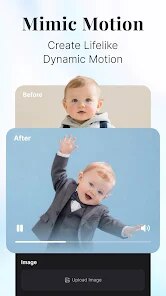
- 🎞️ Image-to-video animation brings still photos to life by adding subtle motion. I uploaded a picture of my dog and it started wagging its tail. This feature is better than what you get in similar apps like Pika because the movement looks more natural.
- 🖌️ Multiple style options including 3D cartoon, cyberpunk, and watercolor give you creative freedom. I compared this with CapCut's AI tools and Pollo has more variety. The styles are clearly labeled so you don't have to guess what they will look like.
- ⏱️ Fast processing speed on the free tier means you are not waiting forever. Most clips render in 30 seconds while apps like Runway take over a minute for the same task. This makes a big difference when you are making multiple videos in one session.
pros
- 🌟 The app is very easy to learn. I figured out most features within five minutes of downloading it. In contrast, apps like Kling have confusing menus that took me a while to understand.
- 🎨 The variety of animation styles is a standout feature. I can switch from realistic to cartoon with one tap. Other apps often limit you to only realistic or only anime, so this is a big plus.
- 📉 The free version gives you enough daily credits to make 10 videos. That is more generous than apps like Pika which limit you to 5 per day before asking for payment.
cons
- ⚠️ The video resolution in the free version is limited to 720p. I wish it offered 1080p without paying. Similar apps like CapCut give you higher quality for free.
- ⚙️ The app sometimes fails to generate a video if the prompt is too complex. I had to retype a few prompts to get them to work. This is less common in Runway's paid version.













































