
Screenshots
Related Apps
![]()
Pocket FM: Audio Series
![]()
FalFal: Astrology, Tarot, Love
![]()
Google Drive
![]()
Yuka - Food & cosmetic scan
![]()
GroupMe
![]()
AgeCam: Face Age Changer App
![]()
Air Horn Prank (Loud Joke)
![]()
Palm Secret - Aging&Cartoon
![]()
YouTube
![]()
Anime Girl Wallpapers
![]()
Doodle Art: Magic Drawing App
![]()
Moises: The Musician's AI App
![]()
Zodiac Palm Reader: MagicWay
![]()
DeepSeek - AI Assistant
![]()
Volume Control Sound Launcher















About this app
 NameFake video call - Prank call
 CategoryEntertainment
 PriceFree
 Safety100% Safe
 DeveloperHiddenScreen.NET
 LabelVideo Players & Editors
editor reviews
Fake video call is a prank call app used for simulating realistic video calls to play jokes on friends or family. I downloaded it from Google Play a few months ago when I was looking for a fun way to lighten the mood during a gathering. The app has been around for a few years and is available on both Google Play and the Apple App Store. On Google Play, it shows over a million installs, which gave me confidence it was a popular choice. The best part is it's completely free to download and install. You don't need to register an account or sign up with an email, which makes getting started super quick. I just tapped install, and within seconds, I was ready to set up a prank. There are no annoying in-app purchases blocking core features, and while there are some banner ads, they aren't too intrusive during use.
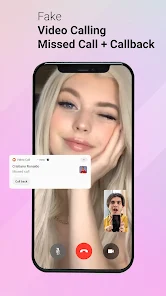
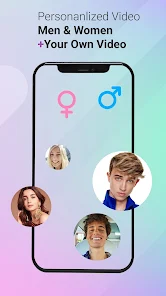
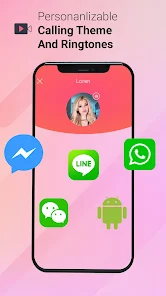
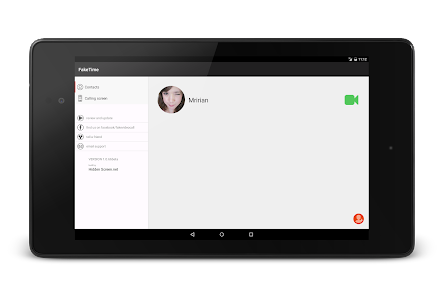
Using the Fake video call app is straightforward. After you install the app, you pick a fake caller name and number to display on the screen. You can even choose a profile picture to make it look authentic. Then, you select a pre-recorded video conversation from their library—there are options like a boss calling, a friend with exciting news, or a wrong number. I set my phone down where my friend could see it, started the fake call, and the screen mimics an incoming video call with ringing and vibration. The realism is great; the interface looks just like a real phone or social media video call. My tip is to adjust the volume first and make sure your phone's screen doesn't lock. I sometimes use it to creatively 'get out' of boring situations, and it always gets a laugh.
Compared to other prank call apps on Google Play, Fake video call stands out because it focuses specifically on video, not just audio. Many similar apps are just for fake phone calls with audio. This app's video element adds a whole new layer of believability. I tried another popular app called 'Fake Call - Prank Call' before, but it felt less immersive. I choose Fake video call because the production quality of the video clips is higher, and the customization is simpler. For a quick, harmless joke, it's my go-to. It feels more like a genuine app experience rather than a clunky tool, which makes the prank more convincing every time I use it.
features
- 🎭 Simulates realistic incoming video calls with customizable caller info, making pranks highly believable compared to audio-only apps.
- 🎭 Offers a library of pre-recorded video conversations for different scenarios, providing quick setup without needing to film anything.
- 🎭 Features a simple, intuitive interface that mimics real system call screens, ensuring the prank is easy to execute on the spot.
- 🎭 Operates fully offline after install, allowing use anywhere, unlike some apps that require a constant internet connection.
pros
- ✅ The video simulation is very convincing and has better acting/production than clips in similar prank apps.
- ✅ Completely free to download with no registration, which is rarer than apps that lock features behind paywalls.
- ✅ The customization of caller name, number, and photo adds a personal touch that increases the prank's success rate.
cons
- ⚠️ The ad-supported model can sometimes show banners at inopportune moments during prank setup.
- ⚠️ The library of video scenarios is somewhat limited compared to larger, subscription-based competitor apps.













































