
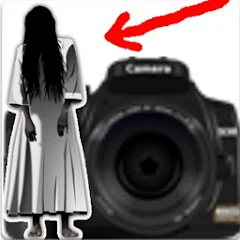
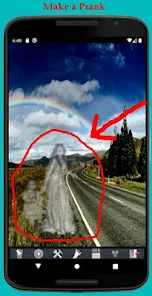
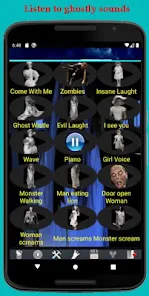
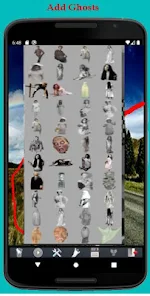
Screenshots
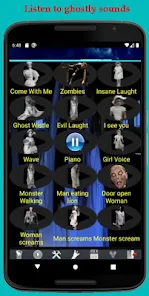
Related Apps
![]()
Pocket FM: Audio Series
![]()
FalFal: Astrology, Tarot, Love
![]()
Google Drive
![]()
Yuka - Food & cosmetic scan
![]()
GroupMe
![]()
AgeCam: Face Age Changer App
![]()
Air Horn Prank (Loud Joke)
![]()
Palm Secret - Aging&Cartoon
![]()
YouTube
![]()
Anime Girl Wallpapers
![]()
Doodle Art: Magic Drawing App
![]()
Moises: The Musician's AI App
![]()
Zodiac Palm Reader: MagicWay
![]()
DeepSeek - AI Assistant
![]()
Volume Control Sound Launcher















About this app
 NameGhost Photo Prank
 CategoryEntertainment
 PriceFree
 Safety100% Safe
 DeveloperNachosware Prank Games
 LabelPhotography
editor reviews
Ghost Photo Prank is a fun prank app designed to help you play harmless jokes on friends and family using spooky ghost images. It's a simple, free app that lets you quickly add ghostly figures to any photo, making it look like there's a supernatural presence in the picture. The app launched a while back and is available for download on Google Play. It has a solid number of installs, showing it's a popular choice for pranksters. You can get it for free from the app store, and you don't need to register or create an account to start using it. Once you install the app, you can jump right in. There are no complicated sign up processes. The app does contain ads, which is common for free apps, and there might be some in app purchases for extra features or to remove ads, but the core ghost adding function is completely free to use.
Using Ghost Photo Prank is super straightforward, which is why I like it. After you download and install the app, you open it and choose a photo from your gallery or take a new one with your camera. Then, you just browse through the collection of transparent ghost images—there are different styles, from classic white sheets to creepier silhouettes. You tap on a ghost, place it wherever you want in the photo, and you can resize or rotate it to make it look more realistic. A simple tip from a regular user: try adjusting the ghost's opacity a bit so it blends into the background better; it makes the prank more convincing. Once you're happy, you save the edited photo to your device. You can then share it directly to social media or messaging apps to surprise your friends. The whole process takes less than a minute, making it perfect for a quick, fun joke.
Compared to other similar prank or photo editing apps on Google Play, Ghost Photo Prank stands out because it does one thing very well without being cluttered. Some other apps try to do too much—adding stickers, filters, and text—which can be overwhelming if you just want a simple ghost prank. This app keeps it focused. I've tried a few others, but I often come back to this one because it's so easy and fast. The ghost images are decent quality, and the interface is no nonsense. For a free app you can download quickly for a laugh, it gets the job done better than more complex editors when your goal is specifically to spook someone with a fake ghost photo.
features
- 👻 Easy Ghost Addition: The main function is adding see through ghost images to any photo. You just pick a ghost from the library and drag it onto your picture. It's much simpler than similar photo edit apps where you have to search through hundreds of stickers.
- 👻 Quick Editing Tools: You can resize, rotate, and adjust the ghost's transparency right on the screen. This basic editing set is perfect for making the ghost look like it belongs in the scene, which some other prank apps don't let you do as easily.
- 👻 Instant Sharing: Once your spooky photo is done, the app lets you save it and share it directly to other platforms. This seamless share function is a standout compared to some apps that make you exit to your gallery first.
pros
- 👍 Super Simple to Use: The app is incredibly user friendly. From download to creating a prank, it takes seconds. Other similar apps have more steps or confusing menus.
- 👍 Focused on Pranks: It doesn't try to be a full photo editor. This focus makes it better for quick jokes than bloated apps with too many features you'll never use.
- 👍 Free Core Features: You can do the main ghost prank without paying anything. Many other apps lock their best stickers behind purchases immediately.
cons
- 📱 Has Ads: The free version shows ads, which can interrupt the fun. Some competing apps offer a cleaner experience for a small fee.
- 📱 Ghost Variety Could Be Better: The selection of ghosts is okay but not huge. Other apps might have a wider range of spooky images or custom options.













































