

Screenshots
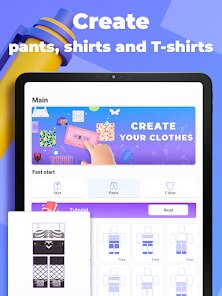
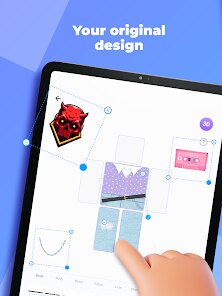
Related Apps
![]()
Pocket FM: Audio Series
![]()
FalFal: Astrology, Tarot, Love
![]()
Google Drive
![]()
Yuka - Food & cosmetic scan
![]()
GroupMe
![]()
AgeCam: Face Age Changer App
![]()
Air Horn Prank (Loud Joke)
![]()
Palm Secret - Aging&Cartoon
![]()
YouTube
![]()
Anime Girl Wallpapers
![]()
Doodle Art: Magic Drawing App
![]()
Moises: The Musician's AI App
![]()
Zodiac Palm Reader: MagicWay
![]()
DeepSeek - AI Assistant
![]()
Volume Control Sound Launcher















About this app
 NameMakerblox - Create Skins
 CategoryEntertainment
 PriceFree
 Safety100% Safe
 DeveloperWhite Platform Studio
 LabelEntertainment
editor reviews
Makerblox - Create Skins is a creative design app designed to help you make custom skins and textures for games like Minecraft. It's a tool for players who want to personalize their in-game world with unique blocks, items, and character skins without needing complex software. The app launched a while back and is available for download on both Google Play and the App Store. It has a solid number of installs, showing it's pretty popular in the creative gaming community. The best part? It's completely free to download and install. You don't need to register an account to start creating, which makes jumping in super easy. While the core app is free, there might be optional in-app purchases for extra asset packs or advanced tools. I've noticed some ads, but they're usually not too intrusive and don't get in the way of the creative process. For a free app, that's a fair trade-off.
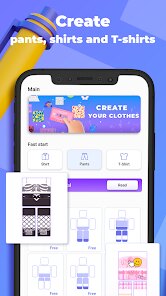
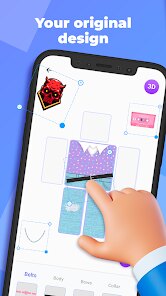
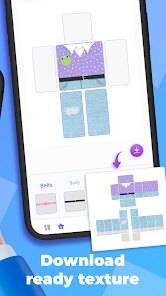
Using Makerblox is straightforward. After you download and install the app from Google Play, you open it and are greeted with a simple menu. You can choose to start a new skin from scratch or browse a library of templates. The editor uses a block-by-block pixel approach, just like building in Minecraft itself. A simple tip from a regular user: use the symmetry tool! It saves so much time when designing both sides of a character skin. Another tip is to start with a template if you're new; it gives you a great foundation. You can zoom in and out to get the details just right. Once you're done, exporting is easy, and the app usually provides the file in the correct format to import directly into your game. It feels less like using professional software and more like a fun, accessible toy box for creativity.
Compared to other skin maker apps on Google Play, Makerblox stands out for its pure simplicity. Some other apps try to do too much or have cluttered interfaces that can be overwhelming. Makerblox keeps it focused on the blocky, pixel-art style that Minecraft players are familiar with. I've tried a few others, but I always come back to this one because it just works without fuss. It doesn't have a steep learning curve. You don't need to watch a bunch of tutorials. You just open it and start placing blocks. For someone who just wants to make a cool skin for their afternoon gaming session, this app gets the job done faster and more enjoyably than the more complex alternatives. It feels made by gamers, for gamers.
features
- 🟥 Intuitive Pixel Editor: The core function is its block-based editor that mimics the Minecraft building experience perfectly. It's more direct and game-like compared to some apps that use more abstract painting tools.
- 🟥 Template Library & Community Shares: It offers a solid library of starter templates and lets you browse creations from other users. This social aspect and resource pool are often better than in similar standalone creator apps.
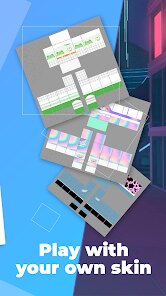
- 🟥 One-Click Export for Games: The export function is streamlined specifically for game use. Unlike generic design apps, Makerblox ensures the file format and size are ready to install into your game right away.
pros
- ✅ Super User-Friendly: Its greatest strength is being incredibly easy to pick up. Compared to more advanced skin studios, Makerblox removes all complexity, making creation accessible to everyone.
- ✅ Faithful to the Game's Style: The tools and palette are perfectly tailored for the blocky aesthetic. Other apps might allow more detail, but they can lose that authentic Minecraft look.
- ✅ Lightweight and Fast: The app installs and runs quickly without lag. Some similar creative suites on Google Play can be slow and bloated, but this one is snappy.
cons
- ⚠️ Limited Advanced Features: For pros wanting super detailed skins, the toolset can feel basic. Rival apps sometimes offer more layers or advanced shading options.
- ⚠️ Ad-Supported Model: The presence of ads, while understandable, can interrupt the flow. Some competing apps offer a one-time purchase to remove them.













































