
Time Warp Scan Cam&Face Filter
Video Players & EditorsLatest APK
DownloadScreenshots


Related Apps
![]()
Broken Screen Prank
![]()
Fingerprint Scanner App
![]()
Firefox Fast & Private Browser
![]()
Allergy Plus by Pollen.com
![]()
Find My Phone By Clap, Whistle
![]()
Planner 5D: Home Design, Decor
![]()
Ghost Detector Real Life Radar
![]()
Pride Quiz LGBTIQ+
![]()
Galaxy Starry Keyboard Backgro
![]()
Instagram
![]()
Fun Fact- My Personal Fact
![]()
Audible: Audio Entertainment
![]()
Photo Frames
![]()
Photo Collage Maker & Editor
![]()
Japan Timetable & Route Search















About this app
 NameTime Warp Scan Cam&Face Filter
 CategoryVideo Players & Editors
 PriceFree
 Safety100% Safe
 DeveloperHDY Apps
 LabelPhotography
editor reviews
Time Warp Scan Cam & Face Filter is a photo editing app designed to help you create fun, trippy visual effects with your pictures. I downloaded it from Google Play a few months ago when I was looking for something more creative than the usual filters. It's been around for a few years now, available on both the Google Play Store and the App Store. On Google Play, it has over 5 million installs, which gave me some confidence it was legit. The app itself is free to download and install, which is always a nice start. You don't need to register or create an account to use the basic features, you can just open it and start playing right away. That instant access is a big plus for me. There are ads, though; they pop up between editing sessions, but they're not too intrusive. I've also noticed there are in-app purchases if you want to remove those ads or unlock some of the more advanced, premium effects packs.
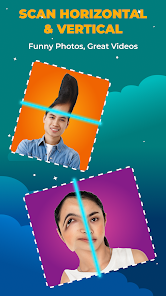
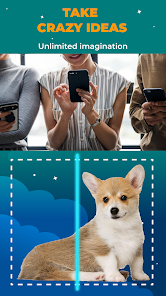
Using the app is pretty straightforward. After you install it, you pick a photo from your gallery or take a new one with the camera. The main attraction is the 'Time Warp' scan effect. You basically draw a line on your photo, and the app distorts and duplicates parts of the image along that path, creating this cool, glitchy, motion-blur look. It's perfect for making dynamic action shots or just adding a psychedelic twist to a portrait. For face filters, there's a separate section with options like neon glows, mirror splits, and color shifts. A simple tip I learned is to use photos with a clear subject and a simpler background; the warp effects look much cleaner and more dramatic that way. Another user tip is to experiment with the direction of your scan line—vertical, horizontal, or diagonal—each one gives a completely different result. I spend most of my time just trying different combinations of the warp and a filter on top.
When you look at similar apps on Google Play, like Glitch Lab or PicsArt, Time Warp Scan Cam feels more specialized. Glitch Lab has a ton of options but can be overwhelming. PicsArt is great for all-around editing but its warp tools aren't as instant or fun-focused. I keep coming back to this app because it does one thing really well and makes it easy. The effects are bold and the interface doesn't require a tutorial. For someone who just wants to create eye-catching, distorted images quickly to share on social media, this app gets the job done without any fuss. It's my go-to when I want to make a regular picture look like it's from a sci-fi movie.
features
- 🌀 The core 'Time Warp Scan' tool is its standout feature. You draw a line and it creates a smearing, duplication effect along that path. It's much more intuitive and visually striking than the standard 'liquify' or 'twirl' tools in apps like PhotoDirector.
- 🌀 The face filter collection is integrated directly with the warp tool. You can apply a neon filter first, then add a warp scan over it. This combo feature is simpler and faster than layering effects separately in a more complex editor like Photoshop Express.
- 🌀 The app is incredibly fast. From taking a photo to applying an effect and saving, it takes seconds. Compared to heavier apps like Snapseed which need more processing time for similar artistic effects, this speed is a major advantage for quick, fun edits.
- 🌀 It offers one-tap 'auto warp' suggestions. This is great for beginners and sets it apart from similar apps where you have to manually configure everything. It gives you a cool starting point instantly.
pros
- 👍 The warp effect is uniquely good and easy to control. Apps like Mirror Lab have similar concepts, but here the scanning motion feels more precise and the visual results are often more dramatic and clean.
- 👍 It's very user-friendly. The layout is simple, especially compared to a powerful but cluttered app like Toolwiz Photos. You're not lost in menus; the main tools are right up front.
- 👍 The output quality for social media is perfect. The images are optimized to look great on Instagram or TikTok without losing detail, which isn't always the case with some free filter apps that over-compress.
cons
- ⚠️ The ad frequency can interrupt the creative flow. After saving 2-3 images, a full-screen ad appears. Many similar free apps, like Polish, offer a less intrusive ad placement.
- ⚠️ Some of the best warp patterns and filters are locked behind a paywall. The free version feels a bit limited after a while compared to an app like Pixlr which offers a wider array of free creative tools.














































