
Screenshots
Related Apps
![]()
Pocket FM: Audio Series
![]()
FalFal: Astrology, Tarot, Love
![]()
Google Drive
![]()
Yuka - Food & cosmetic scan
![]()
GroupMe
![]()
AgeCam: Face Age Changer App
![]()
Air Horn Prank (Loud Joke)
![]()
Palm Secret - Aging&Cartoon
![]()
YouTube
![]()
Anime Girl Wallpapers
![]()
Doodle Art: Magic Drawing App
![]()
Moises: The Musician's AI App
![]()
Zodiac Palm Reader: MagicWay
![]()
DeepSeek - AI Assistant
![]()
Volume Control Sound Launcher















About this app
 NameStickman: draw animation maker
 CategoryArt & Design
 PriceFree
 Safety100% Safe
 DeveloperAppache apps and games ltd
 LabelArt & Design
editor reviews
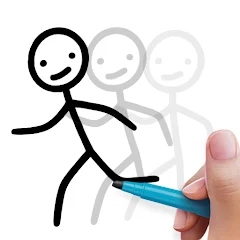
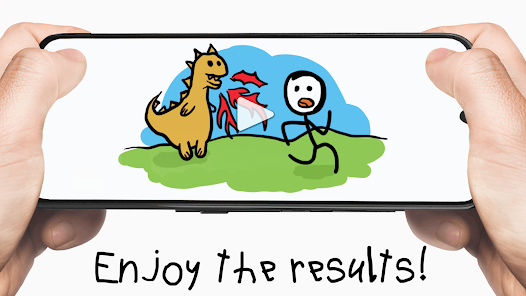
Stickman: draw animation maker is a creative animation app designed to help you make simple stick figure cartoons right on your phone. It's a tool for anyone who wants to bring their doodles to life, letting you draw frame by frame to create fun, looping animations. The app launched a while back and you can find it on both Google Play and the App Store. On Google Play, it has over 10 million downloads, which shows a lot of people are giving it a try. The best part? It's completely free to download and install. You don't need to register an account to start drawing, which makes jumping in super quick. While the core app is free, there are some in-app purchases available, usually for extra tools or to remove ads. Yes, you will see ads while using the free version, but they're typically not too intrusive and pop up between your drawing sessions.
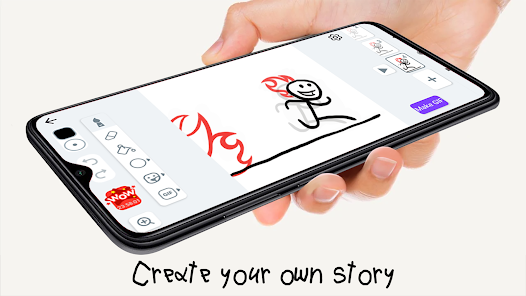
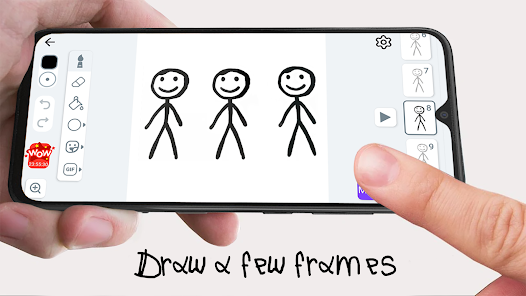
Using the app is pretty straightforward. You open it up and are greeted with a simple timeline and a blank canvas. You draw your stickman or any simple shape for the first frame, then you tap to add a new frame and slightly adjust the drawing to create movement. It's like a digital flipbook. A real user tip is to start with just a few frames, maybe 5 or 6, for your first animation to get the hang of the timing. The onion skinning feature, which shows a faint outline of your previous frame, is a lifesaver for making smooth motion. Most of my time is spent just tapping between frames, tweaking an arm or a leg position. It's surprisingly relaxing and doesn't feel like a complicated professional tool, which is why I keep coming back to it.
Compared to other animation apps out there, Stickman: draw animation maker really stands out for its sheer simplicity. Some other apps, even free ones, can feel overwhelming with tons of buttons and layers. This app keeps it to the bare essentials: draw, frame, play. I chose it over others because I wanted to make silly little animations to share with friends, not produce a masterpiece. It's perfect for that. While a more powerful app like FlipaClip offers more features, for quick, fun stick figure stories, this app from Google Play is my go-to. It does one thing very well and doesn't try to be everything for everyone, which I really appreciate as a casual user.
features
- 🎨 Frame-by-Frame Drawing: The core function is a classic flipbook style editor. You draw on one frame, then create the next to build your animation. It's intuitive and mimics how you'd draw on paper, which is much simpler than the bone-rigging systems in some complex apps.
- 🎨 Onion Skinning Tool: This shows a semi-transparent version of your previous and next frames. It's essential for smooth movement and is implemented here in a very user-friendly way, making it easier to use than in some similar free apps where the feature can be clunky.
- 🎨 Simple Playback & Export: You can play your loop instantly and export it as a GIF or video to share directly to social media or messaging apps. The export process is quicker and has fewer confusing options than in many other mobile animators I've tried from the Google Play store.
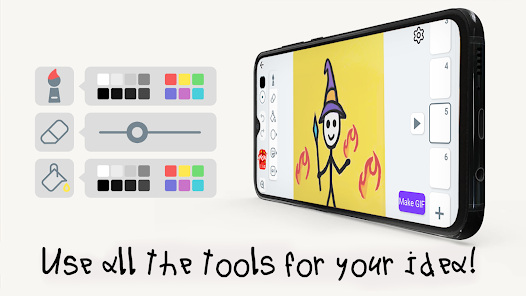
- 🎨 Minimalist Interface: The UI is clean with just the tools you need. Compared to a popular app like PicsArt Animator, which bundles animation with photo editing, this app's focused workspace makes the actual task of animating less distracting and faster to learn.
pros
- ✅ Incredibly Easy to Start: From download to first animation takes minutes. Its low barrier to entry beats heavier apps that require tutorials, perfect for beginners.
- ✅ Perfect for Stick Figures: It excels at its namesake. For quick, expressive stickman stories, it's more fluid and purpose-built than general drawing apps misused for animation.
- ✅ Lightweight & Fast: The app installs and runs smoothly even on older phones, a huge advantage over some similar apps that can be slow and bloated.
cons
- ⚠️ Limited Toolset: The drawing tools are very basic. Compared to rivals, it lacks brush variety, layers, or advanced editing, limiting artistic detail.
- ⚠️ Ad Interruptions: The free version has ads. Some similar apps offer a cleaner experience upfront or have less frequent ad breaks.














































