

Screenshots
Related Apps
![]()
Pocket FM: Audio Series
![]()
FalFal: Astrology, Tarot, Love
![]()
Google Drive
![]()
Yuka - Food & cosmetic scan
![]()
GroupMe
![]()
AgeCam: Face Age Changer App
![]()
Air Horn Prank (Loud Joke)
![]()
Palm Secret - Aging&Cartoon
![]()
YouTube
![]()
Anime Girl Wallpapers
![]()
Doodle Art: Magic Drawing App
![]()
Moises: The Musician's AI App
![]()
Zodiac Palm Reader: MagicWay
![]()
DeepSeek - AI Assistant
![]()
Volume Control Sound Launcher













About this app
 NameMyHyundai with Bluelink
 CategoryAuto & Vehicles
 PriceFree
 Safety100% Safe
 DeveloperHyundai Motor America
 LabelProductivity
editor reviews
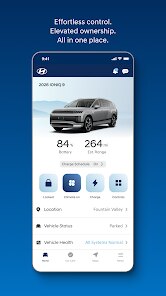
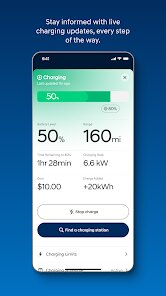
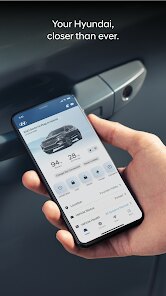
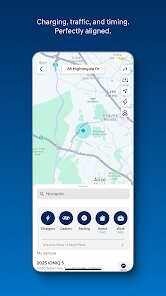
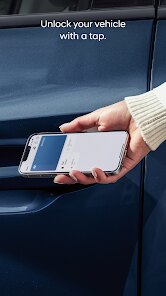
MyHyundai with Bluelink is a car app in the automotive genre that focuses on remote vehicle control and service management. I downloaded this app from google play after I bought my 2023 Tucson, and it's been a helpful tool for daily use. The app works with select Hyundai models and lets you lock or unlock doors, start the engine, and check vehicle stats from anywhere. It's free to install, but you do need to register with your Hyundai account and link your car's VIN. I was honestly surprised that it didn't have any annoying ads when I opened it. The app has been available on google play and the App Store for a few years now, and it has over 500,000 installs, which tells me it's pretty popular among Hyundai owners. There are no in-app purchases that I've seen, which is nice because I hate apps that try to sell you stuff every time you open them. Setting it up took maybe ten minutes, and then I was able to control my car right from my phone.
When I use the app, I mostly rely on the remote start feature during winter mornings. From bed, I can start my car and let it warm up before I even put shoes on. The app also lets me see if my doors are locked, which saves me from walking back to check. One tip I'd give new users is to enable notifications for alerts like when your car needs service or if there's a door left unlocked. I use the schedule start feature for work days, so I wake up and my car is already comfortable. The app also tracks your mileage and tire pressure, but I check those only once a week. For climate control, you can set the temperature before starting the engine, which really helps during extreme weather. I keep my phone's bluetooth on for faster connection, and I make sure the app has location permission for the map features to work correctly.
This app stands apart from others like FordPass or Tesla's app because it stays focused on the basics without adding confusing layers. My friend has a FordPass app, and he always complains about server errors and slow response times. With MyHyundai with Bluelink, I find it more stable and quicker to connect. The google play reviews back this up showing better consistency. While Tesla's app feels more polished, it's locked to only one brand and costs extra for full features. I picked Hyundai mainly because of the app reliability and the free period that comes with the car. If you're comparing apps, this one does what it claims without a lot of fluff. I've recommended it to a neighbor who drives an older Hyundai model, and he says his download works just as smoothly. For the price of free and no ads, it's a solid choice for any Hyundai owner.
features
- 🔑 Remote start with climate control lets me warm or cool the car before I get inside. The NissanConnect app offers similar features but often delays commands, while MyHyundai responds in seconds.
- 📍 The find my car feature shows the exact parking spot with walking directions. Google maps integration helps, but the in-app location tracker updates faster than some other brand apps I have used.
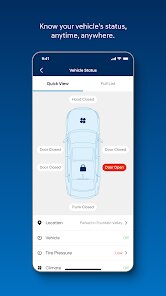
- ⚠️ Vehicle diagnostics notify me about tire pressure, battery health, and oil life. This is clearer than the Toyota app, which buries alerts in menus. I get push reminders weekly.
- 📱 The schedule start option lets me pre-set morning departure times. This is missing from cheaper competitor apps, and it makes a real difference during cold weather commutes.
pros
- ✅ Remote door lock and unlock work reliably every time. The FordPass app often shows server errors, but MyHyundai connects smoothly through google play's latest update.
- ✅ The user interface is simple and not cluttered like some other car apps. I can find climate settings in two taps instead of clicking through endless menus.
- ✅ It downloads and installs quickly without requiring multiple permissions. The Bluelink integration stays stable, which is better than the occasional crashes seen in the HondaLink app.
- ✅ Push notifications about maintenance never spam me. I get only useful alerts like upcoming service dates, unlike other apps that send daily promotions.
cons
- ❌ The app sometimes logs out randomly, and I have to re-enter my password. Other apps like Tesla's remember my session much longer without this minor annoyance.
- ❌ Remote start has a 10-minute limit that cannot be extended from the app. The Kia Access app allows two 10-minute extensions, which feels more flexible for my needs.
- ❌ It drains my phone battery faster than expected when left open in the background. Background activity settings help, but this could be optimized better for daily use.












































