
PicLab - Photo Editor
Video Players & EditorsLatest APK
DownloadScreenshots

Related Apps
![]()
Broken Screen Prank
![]()
Fingerprint Scanner App
![]()
Firefox Fast & Private Browser
![]()
Allergy Plus by Pollen.com
![]()
Find My Phone By Clap, Whistle
![]()
Planner 5D: Home Design, Decor
![]()
Ghost Detector Real Life Radar
![]()
Pride Quiz LGBTIQ+
![]()
Galaxy Starry Keyboard Backgro
![]()
Instagram
![]()
Fun Fact- My Personal Fact
![]()
Audible: Audio Entertainment
![]()
Photo Frames
![]()
Photo Collage Maker & Editor
![]()
Japan Timetable & Route Search















About this app
 NamePicLab - Photo Editor
 CategoryVideo Players & Editors
 PriceFree
 Safety100% Safe
 DeveloperMaple Media
 LabelPlay Pass
editor reviews
PicLab - Photo Editor is a photo editing app designed to help you quickly edit and enhance your photos with a wide range of tools and artistic effects. I use it all the time to make my social media posts and personal pictures look more professional and creative. The app launched a while back and has become a go-to for many users. You can find it easily on both Google Play and the App Store, and it has millions of downloads, which shows how popular it is. The best part is that the initial download and install are completely free, so you can try it out without any upfront cost. You don't even need to register or create an account to start using most of the basic features, which I really appreciate for a quick edit. Of course, like many free apps, it does have some in-app purchases if you want to unlock premium filters or remove ads, and you will see occasional ads in the free version, but they're not too intrusive.
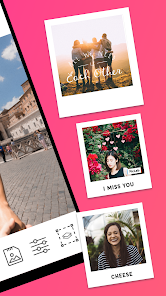
Using the app is pretty straightforward. After you download and install PicLab, you just open it, pick a photo from your gallery, and you're thrown right into the editing suite. I usually start with basic adjustments like brightness or cropping, then dive into the fun stuff like adding text with cool fonts or overlaying one of their many artistic effects. A simple tip from a regular user: don't be afraid to layer different elements. You can add multiple text boxes, stickers, and frames to create a unique collage effect. Another handy feature is the background remover, which works surprisingly well for a mobile app. I use it to cut out subjects and place them on new backgrounds or create custom stickers. The interface is intuitive, so even if you're new to photo editing, you'll figure things out quickly. I often just play around with the sliders and blend modes until I get a look I like.
When I compare PicLab to other similar photo editors on Google Play, like PicsArt or Canva, I find myself coming back to PicLab for its specific blend of simplicity and powerful artistic tools. PicsArt feels more social and community-focused, while Canva is stronger for graphic design templates. PicLab sits nicely in the middle for me. It's less cluttered than some of the bigger names but still packs enough punch for serious editing. I chose it because it feels faster for the kind of edits I do most often—adding impactful text overlays and applying painterly filters to my photos. It doesn't try to do everything, which makes it less overwhelming. For someone who wants a capable editor without a steep learning curve, this app is a solid pick from the app store.
features
- 🎨 All-in-One Editing Suite: Right after install, you get access to cropping, filters, adjustments (exposure, contrast), and retouching tools all in one place, unlike some apps that make you jump between different modules.
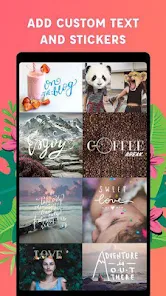
- ✍️ Advanced Text & Typography: The text editor is a standout. You can add custom fonts, manipulate individual letters, apply textures to text, and add shadows or outlines with precision, offering more creative freedom than many basic editors.
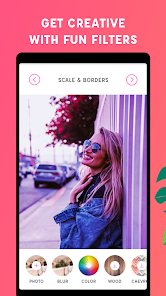
- 🖼️ Artistic Effects & Overlays: It has a huge library of unique artistic filters (like watercolor, sketch, neon) and overlays (light leaks, bokeh, textures) that are easier to blend and adjust compared to similar apps, giving photos a professional, magazine-style look quickly.
- 🔧 Quick Background Removal: The 'cutout' tool allows for surprisingly clean background removal directly on your phone, a feature often reserved for premium tiers in other apps, making it great for creating composite images or custom stickers on the fly.
pros
- 👍 User-Friendly Interface: The layout is clean and intuitive, making complex edits feel simple. Compared to cluttered apps like PicsArt, finding tools in PicLab is faster and less confusing for new users.
- 👍 Quality of Artistic Filters: The unique painterly and graphic filters are top-notch and often look more refined than the sometimes-gimmicky options in other free editors available on Google Play.
- 👍 Speed & Performance: The app runs smoothly even with multiple layers. It processes effects and exports final images quicker than some heavier competitors, which is great when you're editing on the go.
cons
- 👎 Ad Interruptions: The free version has frequent video ads, especially when accessing premium filters. This can disrupt the creative flow more than in similar apps that use less intrusive banner ads.
- 👎 Limited Free Fonts/Assets: While the download is free, many of the best fonts and graphic elements are locked behind a paywall. Other apps sometimes offer a wider rotating selection of free assets.















































