

Square InPic - Photo Editor &
Video Players & EditorsLatest APK
DownloadScreenshots
Related Apps
![]()
Broken Screen Prank
![]()
Fingerprint Scanner App
![]()
Firefox Fast & Private Browser
![]()
Allergy Plus by Pollen.com
![]()
Find My Phone By Clap, Whistle
![]()
Planner 5D: Home Design, Decor
![]()
Ghost Detector Real Life Radar
![]()
Pride Quiz LGBTIQ+
![]()
Galaxy Starry Keyboard Backgro
![]()
Instagram
![]()
Fun Fact- My Personal Fact
![]()
Audible: Audio Entertainment
![]()
Photo Frames
![]()
Photo Collage Maker & Editor
![]()
Japan Timetable & Route Search















About this app
 NameSquare InPic - Photo Editor &
 CategoryVideo Players & Editors
 PriceFree
 Safety100% Safe
 DeveloperStudio 8 Apps
 LabelPhotography
editor reviews
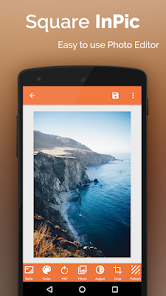
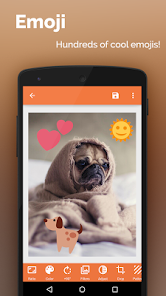
Square InPic - Photo Editor is a photo editing app designed to help you quickly crop, resize, and frame your photos into perfect squares or other aspect ratios. I've been using it for a while now to get my social media pics looking just right. The app launched a few years back and you can find it on both Google Play and the App Store. It's got millions of downloads on Google Play, which shows how popular it is for this simple task. The best part? It's completely free to download and install. You don't even need to register or create an account to start using it, which I love because I hate signing up for things. There are no annoying ads constantly popping up, and while there are some in-app purchases for extra filters or frames, the core cropping and resizing tools are totally free. It's a no-fuss install for anyone who needs to edit photos on the go.
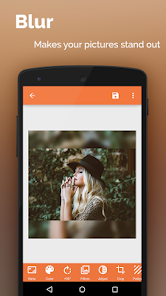
Using the app is super straightforward, which is why I keep it on my phone. You just open the app, tap to select a photo from your gallery, and then you're immediately in the editor. The main screen lets you pick your aspect ratio—like 1:1 for a perfect Instagram square, or 4:5, 16:9, or even a custom size. You pinch and drag to adjust the crop, and there's a handy grid to help you line things up. A simple tip I learned is to use the 'blur' feature for the background if your cropped photo doesn't fill the whole square; it makes the final image look much more professional. Once you're happy, you hit save, and it goes right back to your camera roll. I use it mostly to make my food pics and vacation shots fit for Instagram without cutting off important parts of the image. It's faster than using a big, complicated editor just for a simple crop.
Compared to other similar apps like 'Squaready' or the built-in cropping tools in Instagram, I find myself choosing Square InPic more often. A lot of other apps are either packed with too many features I don't need, which makes them confusing, or they plaster ads all over the place. Square InPic keeps it simple and clean. It does one job—cropping and framing—and it does it really well without slowing you down. Some apps force you into weird aspect ratios or have watermarks on the free version, but this one doesn't. For just quickly preparing a batch of photos before I post them, it's my go-to. It feels like a tool made by someone who actually uses it, not an app trying to do everything at once.
features
- 🖼️ The core cropping tool is incredibly fast and intuitive, letting you switch between square, portrait, and landscape ratios with one tap, which is smoother than the multi-step process in apps like Instasize.
- 🖼️ It offers a unique 'blur background' feature when cropping to a new ratio, filling empty space stylishly—a simple touch many basic editors like Photo Grid lack.
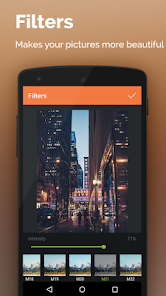
- 🖼️ The app includes basic but useful filters and drawing tools within the same simple interface, so you can do minor tweaks without leaving for another app.
- 🖼️ Its collage maker is straightforward for making side-by-side comparisons or simple layouts, standing out from dedicated collage apps by being less cluttered.
pros
- ✅ It excels at its main purpose: fast, no-nonsense cropping and resizing. It's quicker for this specific task than bulky editors like Adobe Lightroom.
- ✅ The user interface is cleaner and less ad-intrusive than many free alternatives such as YouCam Perfect, making the editing experience more pleasant.
- ✅ Being completely free for core functions with no mandatory sign-up is a huge plus compared to apps that lock basic features behind a login.
cons
- 📌 The filter selection is quite basic and less versatile compared to powerhouse apps like VSCO, which offer more nuanced color grading.
- 📌 Advanced editing features like selective adjustments or healing brushes are missing, so for complex edits, you still need another app.
















































