

SHAREit: Transfer, Share Files
ProductivityLatest APK
DownloadScreenshots
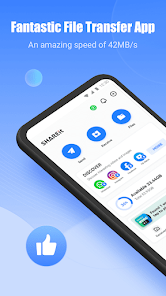
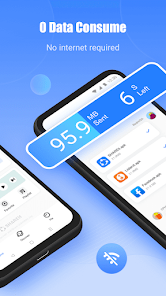
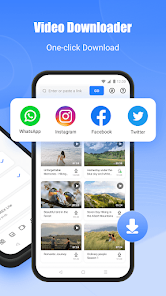

Related Apps
![]()
Broken Screen Prank
![]()
Fingerprint Scanner App
![]()
Firefox Fast & Private Browser
![]()
Allergy Plus by Pollen.com
![]()
Find My Phone By Clap, Whistle
![]()
Planner 5D: Home Design, Decor
![]()
Ghost Detector Real Life Radar
![]()
Pride Quiz LGBTIQ+
![]()
Galaxy Starry Keyboard Backgro
![]()
Instagram
![]()
Fun Fact- My Personal Fact
![]()
Audible: Audio Entertainment
![]()
Photo Frames
![]()
Photo Collage Maker & Editor
![]()
Japan Timetable & Route Search















About this app
 NameSHAREit: Transfer, Share Files
 CategoryProductivity
 PriceFree
 Safety100% Safe
 DeveloperSmart Media4U Technology Pte.Ltd.
 LabelTools
editor reviews
SHAREit: Transfer, Share Files is a file-sharing app designed to help you send photos, videos, music, and documents between devices without using the internet. I've been using it for years, ever since it first launched back in the day, to move stuff between my Android phone and my friend's iPhone. You can find it easily on both Google Play and the App Store. It's had a massive number of installs, well into the billions on Google Play alone, which shows how popular it is. The best part is it's completely free to download and install. You don't even need to register or create an account to start sharing, which makes it super quick to get going. There are no annoying in-app purchases to worry about for the core sharing features, though you might see some ads here and there. For a free tool, that's a pretty fair deal.
Using SHAREit is straightforward. You just open the app on both devices, select "Send" on one and "Receive" on the other. It creates its own Wi-Fi hotspot, so you don't need a Wi-Fi network or mobile data. I use it all the time to send a bunch of vacation photos to my family's tablets in seconds. A simple tip from a regular user: make sure to keep the apps open and the screens unlocked until the transfer finishes. Also, for faster speeds, try to have the devices close to each other. It's much easier than emailing files or struggling with Bluetooth.
Compared to other similar apps like Xender or Zapya, I keep coming back to SHAREit. Why? It just feels more reliable and consistent. The connection between devices seems to establish quicker for me. While other apps offer similar "no internet" sharing, SHAREit's interface has always been a bit simpler for my parents to figure out. In a world where we constantly need to move large video files or whole music albums between phones and PCs, having a dedicated, hassle-free tool like this is a lifesaver. It's my go-to choice over built-in options because it works across different brands and operating systems without any fuss.
features
- 📱 Super-fast offline transfers: SHAREit creates a direct Wi-Fi hotspot between devices, letting you send huge videos or app files in seconds without using any mobile data or internet connection, which is a game-changer compared to slow Bluetooth.
- 📱 Cross-platform sharing: This is its biggest strength. I can seamlessly send files from my Android phone to a friend's iPhone, a Windows laptop, or even a Mac, something that native sharing options often struggle with.
- 📱 No sign-up required: Unlike some cloud services, you can download, install, and start sharing immediately without creating an account, making the whole process incredibly quick and private.
- 📱 Built-in file manager and media player: The app isn't just for sending; you can browse, organize, and even play your videos and music right inside it, which is more convenient than using separate apps.
pros
- ⚡ Blazing transfer speed: For large files, it's significantly faster than traditional Bluetooth or even some online services, especially when both devices are on the same SHAREit version.
- ⚡ Truly platform-agnostic: Its ability to connect any device (Android, iOS, Windows, PC) is superior to Apple's AirDrop or Google's Nearby Share, which are locked into their own ecosystems.
- ⚡ Zero data cost: Since it works offline, you never have to worry about data charges or finding a Wi-Fi network, which is a huge advantage over cloud-based apps like Google Drive for local sharing.
cons
- ⚠️ Occasional ad presence: The free version shows ads, which can be intrusive. Some competitors offer a slightly cleaner interface without promotions.
- ⚠️ Connection hiccups: Sometimes, you need to restart the app on both devices to get them to see each other, a minor annoyance not always present in more integrated system tools.













































