
Screenshots
Related Apps
![]()
Broken Screen Prank
![]()
Fingerprint Scanner App
![]()
Firefox Fast & Private Browser
![]()
Allergy Plus by Pollen.com
![]()
Find My Phone By Clap, Whistle
![]()
Planner 5D: Home Design, Decor
![]()
Ghost Detector Real Life Radar
![]()
Pride Quiz LGBTIQ+
![]()
Galaxy Starry Keyboard Backgro
![]()
Instagram
![]()
Fun Fact- My Personal Fact
![]()
Audible: Audio Entertainment
![]()
Photo Frames
![]()
Photo Collage Maker & Editor
![]()
Japan Timetable & Route Search















About this app
 NameSoftware Update for my phone
 CategoryProductivity
 PriceFree
 Safety100% Safe
 DeveloperArt & Tool Studio
 LabelTools
editor reviews
Software Update is a utility app used for checking and installing Android system updates. It's a tool I found on Google Play when I was looking for a way to manage my phone's software more directly. The app launched a few years ago and is available for free download on Google Play. I don't think it's on the App Store, as it's specifically for Android devices. It has over a million installs, which gave me some confidence to try it. You can download and install it for free, and no registration is needed to start using it. I haven't seen any ads pop up while using it, which is nice, and there don't seem to be any in-app purchases either. It feels like a straightforward, no-frills tool.
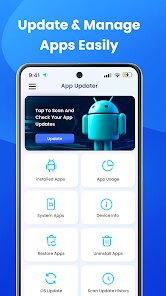
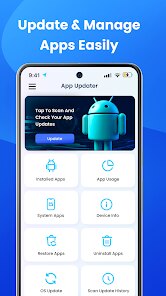
I use this app mainly when I'm curious if there's a new Android update available before my phone officially notifies me. After you install the app, you just open it and tap the 'Check for Update' button. It scans your system and tells you if your software is up to date or if there's a new version. If there is an update, it provides a direct link or instructions, often taking you to your phone's own system update settings. A simple tip from my experience: it's good to run a check every couple of weeks, especially after major Android versions are announced. The interface is very basic, so there's not much of a learning curve. I also use it to quickly see my current Android version and security patch level, which is handy information.
Compared to other similar apps on Google Play, like 'Update Software' or 'System Update Checker', I chose this one because it felt less cluttered. Many other apps in this genre are packed with extra features like battery cleaners or RAM boosters that I don't really need. I just wanted a simple tool to check for OS updates, and this app does exactly that without pushing other services. Some similar apps have annoying ads or require weird permissions, but this one from Art & Tool Studio keeps it simple. It doesn't try to do too much, which for a basic utility, I actually prefer. It's a straightforward download for anyone who wants a quick way to check their Android update status.
features
- 🔍 Quick System Scan: The main function is a fast check for available Android OS updates. You tap one button, and it tells you if your phone is current or needs an update, which is faster than digging through phone settings.
- 🔍 Direct Update Access: It often provides a shortcut to your phone's native system update menu, streamlining the download and install process compared to finding it manually in settings.
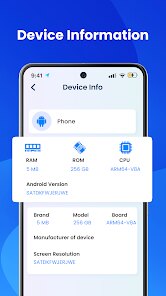
- 🔍 Version Information: It clearly displays your current Android version and security patch date. This is a standout feature compared to some similar apps that bury this info or don't show it at all.
- 🔍 Simplicity Focus: Unlike a popular similar app like 'Update & Software Info' which includes device specs and bloatware, this app focuses purely on the update function, making it less confusing for a single task.
pros
- ✅ Does One Job Well: It excels at its core purpose—checking for system updates—without unnecessary extras, unlike some competitors cluttered with junk cleaner tools.
- ✅ Clean, Ad-Free Interface: The app loads quickly and has no banner or video ads, which is a major plus over many free utility apps on Google Play that interrupt you with ads.
- ✅ Lightweight Install: The app download is small and doesn't consume much storage or battery in the background, which is better than heavier all-in-one system tool apps.
cons
- ⚠️ Limited Detail: It could improve by offering more details about the update, like file size or changelog, which some other update checker apps provide.
- ⚠️ Basic Design: The user interface is very simple and hasn't changed much; a visual refresh could make it more modern compared to similar utilities.















































