
Screenshots
Related Apps
![]()
Broken Screen Prank
![]()
Fingerprint Scanner App
![]()
Firefox Fast & Private Browser
![]()
Allergy Plus by Pollen.com
![]()
Find My Phone By Clap, Whistle
![]()
Planner 5D: Home Design, Decor
![]()
Ghost Detector Real Life Radar
![]()
Pride Quiz LGBTIQ+
![]()
Galaxy Starry Keyboard Backgro
![]()
Instagram
![]()
Fun Fact- My Personal Fact
![]()
Audible: Audio Entertainment
![]()
Photo Frames
![]()
Photo Collage Maker & Editor
![]()
Japan Timetable & Route Search















About this app
 NameLink to Windows
 CategoryProductivity
 PriceFree
 Safety100% Safe
 DeveloperMicrosoft Corporation
 LabelProductivity
editor reviews
Link to Windows is a connectivity app used for bridging your Android phone and Windows PC. It launched in 2019 and is available on both Google Play and the App Store. On Google Play, it has over 1 billion downloads, which shows how many people use it. The app is completely free to download and install. You don't need to pay anything upfront. It also doesn't have any in-app purchases, which is great. There are no annoying ads popping up either, so your experience stays clean. You do need to sign in with your Microsoft account to set it up, but that's a one-time thing and it helps keep your connection secure. Once installed, it creates a seamless link between your devices.
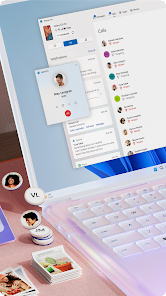
As a user, I use Link to Windows every day to make my work flow smoother. After I install the app on my phone and make sure my PC has the 'Your Phone' app from Windows, I just open the app and follow the pairing steps. It uses a QR code, which is super easy. Once connected, I can see my phone's screen right on my PC. I drag and drop photos from my phone to my desktop without hunting for cables. I get my phone's notifications on my PC, so I don't have to keep picking up my phone. A simple tip is to pin the app to your PC's taskbar for quick access. I also use it to send texts from my computer keyboard, which is much faster than typing on a small screen. It just runs in the background after setup.
Compared to other apps like Pushbullet or AirDroid, I chose Link to Windows because it's built right into my Windows 11 PC. It feels more integrated and stable. Pushbullet has limits on free messages, and AirDroid can feel a bit cluttered with features I don't need. Link to Windows does the core things I want—seeing notifications, transferring files, and texting—without any fuss. It's made by Microsoft, so it works really well with Windows, which is my main system. For someone who just wants a simple, reliable connection between their Android phone and Windows computer, this app is a no-brainer to download from Google Play.
features
- 📱 Phone Screen Mirroring: You can see and control your Android phone's screen directly on your Windows PC. This is perfect for using mobile-only apps on a bigger display.
- 📱 Instant File Transfer: Drag and drop photos, videos, and documents between your phone and PC instantly, without using email or a USB cable.
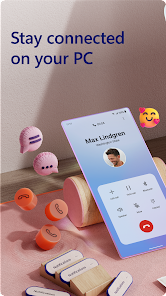
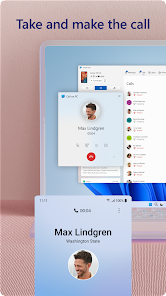
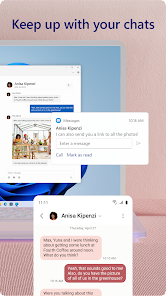
- 📱 Cross-Device Notifications & Messaging: Get all your Android notifications on your PC and reply to SMS messages directly from your computer.
- 📱 App Continuity: Start a task on your phone, like reading an article, and instantly continue it on your PC's browser with a single click.
pros
- ✅ Deep Windows Integration: Unlike third-party tools, it's built into Windows 10/11, offering a smoother, more stable connection right out of the box.
- ✅ Effortless Setup: The QR code pairing is much quicker and simpler than typing IP addresses or codes required by apps like AirDroid.
- ✅ Reliable Core Features: For basic phone-PC linking—notifications, messaging, photos—it works more consistently than Pushbullet's free tier, which has limits.
- ✅ Clean & Ad-Free: The experience is streamlined with no ads or upsells, which is not always the case with similar free utilities.
cons
- ⚠️ Limited to Windows: It only works with Windows PCs, unlike AirDroid which can connect to Macs or web browsers.
- ⚠️ Basic Advanced Features: It lacks some power-user tools found in competitors, like full file system access or remote camera control.















































