
Screenshots
Related Apps
![]()
Pocket FM: Audio Series
![]()
FalFal: Astrology, Tarot, Love
![]()
Google Drive
![]()
Yuka - Food & cosmetic scan
![]()
GroupMe
![]()
AgeCam: Face Age Changer App
![]()
Air Horn Prank (Loud Joke)
![]()
Palm Secret - Aging&Cartoon
![]()
YouTube
![]()
Anime Girl Wallpapers
![]()
Doodle Art: Magic Drawing App
![]()
Moises: The Musician's AI App
![]()
Zodiac Palm Reader: MagicWay
![]()
DeepSeek - AI Assistant
![]()
Volume Control Sound Launcher















About this app
 NameDoodle Master - Glow Art
 CategoryArt & Design
 PriceFree
 Safety100% Safe
 DeveloperHydodo
 LabelArt & Design
editor reviews
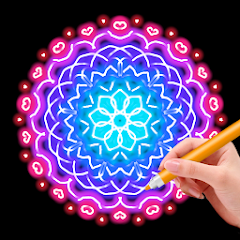
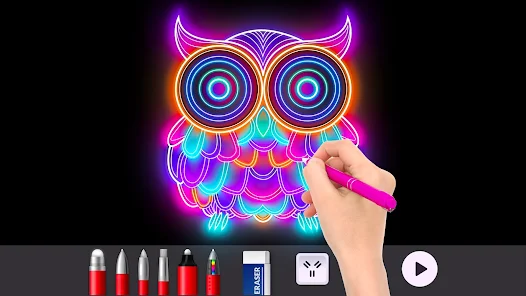
Doodle Master - Glow Art is a drawing and creativity app designed to help you make glowing digital art. It's basically a digital sketchpad where you draw with neon colors on a dark background, creating those cool glow-in-the-dark effects you see online. I think it launched a few years back and you can find it on both Google Play and the App Store. It's got millions of downloads, which shows how popular these glow art apps are. The best part is it's completely free to download and install. You don't even need to register or sign up to start using it, which I love because I hate making accounts for every single app. Just download, open, and start doodling. There are some ads, but they're not too intrusive, mostly banners at the bottom or short videos between sessions. I haven't seen any major in-app purchases for core features, which is great for a free app.
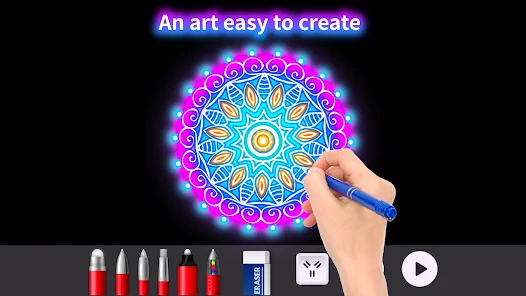
Using Doodle Master is super straightforward, which is why I keep it on my phone. When you open the app, you're greeted with a black canvas and a colorful palette of neon brushes. You just pick a color and start drawing. The glow effect happens automatically as you draw, so there's no special technique needed. A simple tip from a regular user like me: start with simple shapes or words. Try writing your name in a cursive style with a bright pink or blue. The glow makes it look awesome. Another tip is to use the different brush sizes. The thinner brushes are perfect for details, while the thicker ones are great for filling in big areas or making bold outlines. I often just doodle while watching TV or waiting somewhere. You can save your creations to your phone's gallery with one tap, which makes it easy to share your glow art on social media or use it as a unique wallpaper.
Compared to other similar drawing apps like 'Glow Draw' or 'Neon Sketch', I find myself choosing Doodle Master more often. A lot of other glow art apps have cluttered interfaces or too many ads that pop up right in the middle of your drawing. Doodle Master keeps it simple. The tools are easy to find, and the app runs smoothly without lag, which is important when you're trying to draw a smooth line. Some other apps might have more brush types or patterns, but they can be overwhelming if you just want to relax and draw. Doodle Master hits a sweet spot. It gives you enough options to be creative but doesn't complicate things. For a free app you find on Google Play, it's a really fun way to kill time and make something that looks cool without any artistic pressure.
features
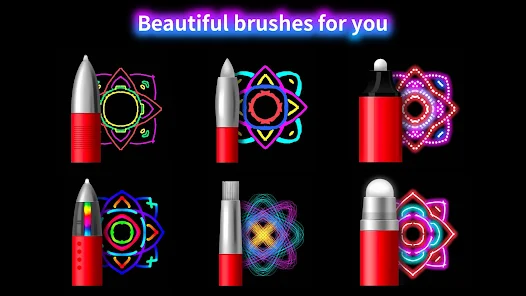
- 🎨 The core function is glow drawing on a dark canvas. Unlike some apps that simulate glow, this one makes your strokes look authentically neon and bright against the black background the moment you draw.
- 🎨 It offers a solid set of basic, neon-colored brushes. Compared to a more complex app like 'Adobe Fresco', it doesn't have layers or advanced tools, which is actually its strength—it's purely for instant, satisfying glow art.
- 🎨 The app includes an easy save-and-share feature. You can quickly export your doodle to your phone's gallery. This is smoother than some competitors where the save function is buried in menus.
- 🎨 It provides a simple undo/redo function and a clear button. This makes experimenting easy, a must-have that some simpler glow apps surprisingly lack.
pros
- ✨ The glow effect is instant and very satisfying. It looks better and more vibrant than in many other free glow-doodle apps I've tried on Google Play.
- ✨ It's incredibly easy to just install and start drawing immediately with zero learning curve. Apps like 'Infinite Painter' are more powerful but also much more intimidating.
- ✨ Being completely free with no mandatory sign-up is a huge plus. Many similar apps now force a login or have core features locked behind a paywall.
cons
- 🔧 The ad placement, while not excessive, can sometimes be a distraction. A premium, ad-free version for a small fee would be a welcome improvement.
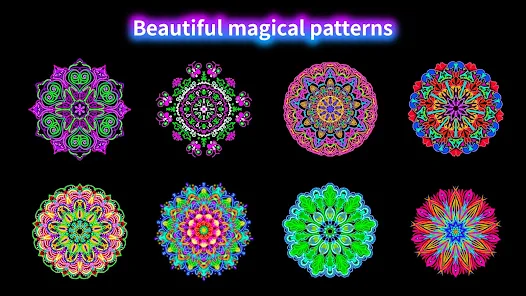
- 🔧 The brush library is somewhat basic. Adding a few more texture options or glow styles could help it stand out even more from other apps in this genre.














































