

Photo Blender: Picture Mixer
Video Players & EditorsLatest APK
DownloadScreenshots
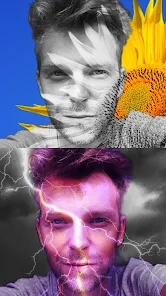
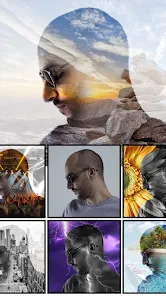
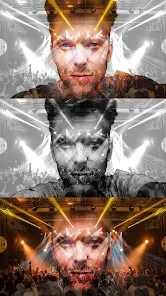
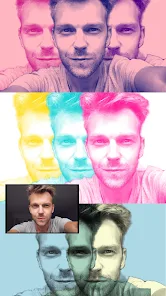
Related Apps
![]()
Funny Prank: Monster Sound
![]()
Hailuo Al: Image&Video Maker
![]()
Persona: Beauty Camera
![]()
Culver's
![]()
How old do i look - Age app
![]()
Hair Clipper Prank: Fun Sounds
![]()
AI Chatbot - Nova
![]()
Uber - Request a ride
![]()
GhostTube SLS Camera Alternate
![]()
Elf Cam : Santa's elf tracker
![]()
Photo Blender: Picture Mixer
![]()
Walgreens
![]()
Facetune AI Photo/Video Editor
![]()
Genie - AI Chat & AI Chatbot
![]()
Zodiac & Horoscope: CosmicVibe








About this app
 NamePhoto Blender: Picture Mixer
 CategoryVideo Players & Editors
 PriceFree
 Safety100% Safe
 DeveloperVysionApps
 LabelPhotography
editor reviews
Photo Blender: Picture Mixer is a photo editing app designed to help you blend and merge multiple pictures into creative collages and artistic compositions. I've been using it for a few months now to make fun posts for social media. It launched a couple of years back and you can download it on both Google Play and the App Store. On Google Play, it has over 10 million installs, which shows a lot of people are using it. The app is free to install, which is great for trying it out. You don't need to register or create an account to start using it, so you can jump right in after the download. There are some ads in the free version, but they aren't too intrusive. For more advanced features and to remove ads, there are in-app purchases available. This setup is pretty standard for this genre of app.
Using the app is straightforward. After you install it, you just pick your base photo and then add another image you want to blend. The main tool is a slider that controls the transparency, letting you mix the two pictures seamlessly. I like to use it for creating double exposure effects with portraits and nature scenes. A simple tip from a user is to start with photos that have good contrast; it makes the blending effect look much cleaner. The app also has brushes for more precise editing, so you can erase parts of the top layer to reveal the image underneath. It's perfect for when you want to combine a picture of a friend with a cool background. You can save your creation directly to your gallery or share it instantly. I find myself using it a few times a week whenever I have a creative idea.
Compared to other photo blending apps like Photo Lab, I often choose Photo Blender. While Photo Lab has tons of filters and effects, Photo Blender feels more focused and gives me more direct control over the blending process. It's simpler and doesn't overwhelm you with too many options. For someone who just wants to merge pictures without a steep learning curve, this app is a better fit. The interface is cleaner, and I can get the job done faster. Some other apps in this genre require you to watch ads after every edit, but here the flow feels smoother. For basic, creative photo mixing, I find it more reliable and easier to use daily than some of the more complex alternatives on Google Play.
features
- 🖼️ The core function is layer-based photo blending. You can overlay two images and adjust the mix with a simple opacity slider, which is more intuitive than similar apps like PicsArt where blending is buried in more complex menus.
- 🖌️ It offers selective editing brushes. This lets you erase parts of the top photo to blend specific areas, a standout feature for creating precise double exposures, which isn't as fluid in some basic collage makers.
- 🎨 The app provides a variety of blend modes (like Multiply, Screen) similar to professional tools but simplified. This gives more creative freedom compared to a simpler app like BlendPic, which might only have basic transparency.
- 💾 Direct save and share is seamless. Once your mix is done, you can instantly save the high-quality image or post it, which is faster and more integrated than some apps that redirect you through multiple steps.
pros
- 👍 The control is excellent. The slider for blending is super responsive and gives you real-time previews, which feels more immediate and user-friendly than many competitors.
- 👍 It's very user-friendly. The simple interface means you don't need a tutorial. You can download, install, and start creating in seconds, which is a huge plus over more complicated editing apps.
- 👍 The free version is quite powerful. You get access to the main blending tools without paying, which is better than some apps that lock core features behind a paywall immediately.
cons
- 👎 The ad frequency can interrupt the creative flow sometimes, especially compared to some similar apps that offer a one-time purchase to remove them permanently.
- 👎 Advanced editing options are limited. If you want fine-tuned color correction or layers beyond two, you might need another app.














































