
Facetune AI Photo/Video Editor
Video Players & EditorsLatest APK
DownloadScreenshots
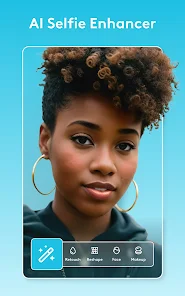
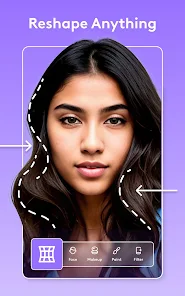
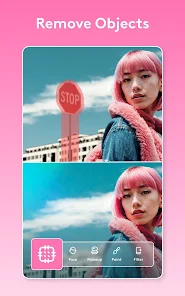
Related Apps
![]()
Funny Prank: Monster Sound
![]()
Hailuo Al: Image&Video Maker
![]()
Persona: Beauty Camera
![]()
Culver's
![]()
How old do i look - Age app
![]()
Hair Clipper Prank: Fun Sounds
![]()
AI Chatbot - Nova
![]()
Uber - Request a ride
![]()
GhostTube SLS Camera Alternate
![]()
Elf Cam : Santa's elf tracker
![]()
Photo Blender: Picture Mixer
![]()
Walgreens
![]()
Facetune AI Photo/Video Editor
![]()
Genie - AI Chat & AI Chatbot
![]()
Zodiac & Horoscope: CosmicVibe













About this app
 NameFacetune AI Photo/Video Editor
 CategoryVideo Players & Editors
 PriceFree
 Safety100% Safe
 DeveloperLightricks Ltd.
 LabelPhotography
editor reviews
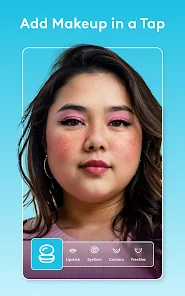
Facetune AI Photo/Video Editor is a photo and video editing app designed to help you enhance your portraits and selfies with professional-level tools. It's like having a mini photo studio right on your phone. I've been using it for a while now to touch up pictures before I post them on social media. The app launched a few years back and you can download it on both Google Play and the App Store. It has millions of installs, which shows how popular it is. The app itself is free to download and install, which is great for trying it out. You don't need to register an account just to start playing with the basic features, which I really appreciate for quick edits. However, to unlock all the powerful AI tools and get rid of watermarks, you'll need a subscription. There are in-app purchases for these subscriptions, and the free version does show ads.
Using Facetune is pretty intuitive once you get the hang of it. I usually start by opening a photo from my gallery. The first thing I do is use the 'Smooth' tool to even out my skin tone—it's magic and doesn't make you look plastic if you use it lightly. The 'Reshape' tool is fantastic for subtle adjustments; you can tweak a smile or adjust the angle of a jawline just by brushing over it. A real user tip: always zoom in for detailed work like removing blemishes with the 'Patch' tool. For videos, the process is similar; you can apply many of the same filters and smoothing effects frame by frame. I find myself using it mostly for photos before a big post, making sure everything looks natural and polished.
Compared to other similar apps like Adobe Lightroom or even the built-in editors on my phone, Facetune AI stands out for its specific focus on portraits. Lightroom is amazing for color and lighting on landscapes, but for selfies, Facetune feels more dedicated. Another popular one is YouCam Perfect, but I chose Facetune because its AI tools, like the automatic background changer and 'Vibe' filters, seem smarter and give more realistic results. The controls feel a bit more refined, less gimmicky. For someone who isn't a pro but wants pro-looking selfies without a complicated learning curve, this app on Google Play is a go-to. It simplifies the complex stuff.
features
- ✨ The AI-powered 'Relight' feature is a game-changer. It lets you change the direction and color of light in your photo after it's taken. Compared to Snapseed's selective brush, this feels much more automatic and realistic for portrait lighting.
- ✨ The 'Vibe' filters are incredible. They don't just slap on a color; they adjust skin tones, backgrounds, and moods intelligently. Other apps have filters, but these are tailored for people, not just scenes.
- ✨ Video editing capabilities are solid. You can apply smoothing and filters to videos, which many similar photo-focused apps don't offer. It bridges the gap between a photo editor and a simple video tool.
- ✨ The 'Patch' and 'Heal' tools for removing objects or blemishes work seamlessly. It feels more precise than the clone stamp in other free apps you download, giving you cleaner results.
pros
- 👍 The user interface is clean and focused. It guides you without being overwhelming, unlike some cluttered editing suites. It makes the install worth it.
- 👍 The quality of edits remains very high. Skin smoothing looks natural, not blurry, which is a common fail in other apps in this genre.
- 👍 Regular updates with new AI features. The developers keep adding useful tools, so the app feels fresh compared to static competitors.
cons
- ⚠️ The subscription cost is quite high for a casual user. Other apps might offer more one-time purchase options.
- ⚠️ It can be resource-heavy on older phones, sometimes slowing down during complex AI edits.













































