
Screenshots


Related Apps
![]()
Pocket FM: Audio Series
![]()
FalFal: Astrology, Tarot, Love
![]()
Google Drive
![]()
Yuka - Food & cosmetic scan
![]()
GroupMe
![]()
AgeCam: Face Age Changer App
![]()
Air Horn Prank (Loud Joke)
![]()
Palm Secret - Aging&Cartoon
![]()
YouTube
![]()
Anime Girl Wallpapers
![]()
Doodle Art: Magic Drawing App
![]()
Moises: The Musician's AI App
![]()
Zodiac Palm Reader: MagicWay
![]()
DeepSeek - AI Assistant
![]()
Volume Control Sound Launcher















About this app
 NameGoogle
 CategoryProductivity
 PriceFree
 Safety100% Safe
 DeveloperGoogle LLC
 LabelTools
editor reviews
Google is a search and digital assistant app designed to help you find information, get things done, and manage your day. It's the official app from Google, launched many years ago and constantly updated. You can download it for free from both Google Play and the App Store. It has billions of installs on Google Play alone, making it one of the most popular apps ever. No registration is strictly needed to start using basic search, but signing in with a Google account unlocks personalized features like syncing your search history and reminders. The app itself is free with no in-app purchases required for its core functions. You will see ads within search results, which is how Google makes money, but they are clearly marked.
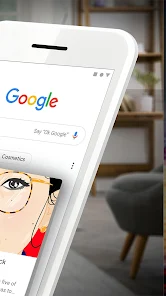
I use the Google app every single day. It's my go-to for everything from quick fact checks ("What's the capital of France?") to checking the weather before I head out. I have the search bar widget right on my home screen, so I can just tap and type or even use my voice. Speaking of voice, that's a huge part of how I use it. I just say "Hey Google" or tap the microphone icon to ask questions hands-free while cooking or driving. A real user tip: set up your "Discover" feed. It shows news and articles based on your interests, and you can customize it by telling it "show more stories like this" or "show less." It gets smarter over time. I also use it for quick translations, currency conversions, and setting timers. It feels less like opening an app and more like having a helpful tool always ready.
Compared to other search apps or assistants, I keep coming back to the Google app because it's just so deeply integrated with everything else. Apple's Siri is fine on iPhone, but for searching the web, Google's results feel more comprehensive and accurate. Other browser apps might have search, but they don't have the same smart, proactive "Discover" feed or as smooth a voice assistant. For me, the choice is simple. If you want the full power of Google Search, plus a helpful assistant and a personalized news feed, all in one tidy package, this is the app to install. It's the digital Swiss Army knife I didn't know I needed until I started using it daily.
features
- 🔍 Search & Answers: It's Google Search in your pocket. Type or speak any question, and it pulls up answers from the web, often showing direct facts, images, or videos right at the top. Compared to just using a browser, the app formats results cleaner and faster.
- 🗣️ Voice Assistant: The "Hey Google" hands-free help is a major reason to install this over a basic browser. You can set alarms, send texts, control smart home devices, or ask follow-up questions conversationally, rivalling standalone assistant apps.
- 📰 Personalized Discover Feed: This is what makes it stand out. Instead of a blank search bar, your homepage is a scrollable feed of news, sports, and topics you care about, learning from your searches. Other news apps require more manual setup.
- 🎯 Quick Tools: Built-in shortcuts for lens (search with camera), translation, currency conversion, and flight tracking. It bundles utilities you'd usually need separate apps for, all accessible from one spot.
pros
- ✅ Unbeatable Search Quality: The core search results are simply the best and fastest compared to any competitor like Bing or DuckDuckGo, especially for local info and complex queries.
- ✅ Seamless Ecosystem Integration: If you use Gmail, Calendar, or YouTube, the app ties everything together beautifully, showing relevant reminders and bookings, which other generic assistants don't do as well.
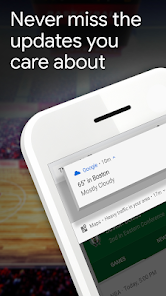
- ✅ Proactive & Helpful: The Discover feed and notification alerts (like flight status or sports scores) feel helpful, not intrusive, offering value before you even ask.
cons
- ⚠️ Ads in Search: Like the website, search results include ads, which can be annoying. Some alternative search apps focus on a cleaner, ad-free experience.
- ⚠️ Battery Usage: With always-listening "Hey Google" enabled, it can use more battery life than a simple browser app, something to be aware of.














































