

Screenshots


Related Apps
![]()
Pocket FM: Audio Series
![]()
FalFal: Astrology, Tarot, Love
![]()
Google Drive
![]()
Yuka - Food & cosmetic scan
![]()
GroupMe
![]()
AgeCam: Face Age Changer App
![]()
Air Horn Prank (Loud Joke)
![]()
Palm Secret - Aging&Cartoon
![]()
YouTube
![]()
Anime Girl Wallpapers
![]()
Doodle Art: Magic Drawing App
![]()
Moises: The Musician's AI App
![]()
Zodiac Palm Reader: MagicWay
![]()
DeepSeek - AI Assistant
![]()
Volume Control Sound Launcher















About this app
 NameGoogle Meet (original)
 CategoryBusiness
 PriceFree
 Safety100% Safe
 DeveloperGoogle LLC
 LabelBusiness
editor reviews
Google Meet is a video conferencing app designed to help you connect with others for meetings, classes, or casual catch-ups. I use it all the time for work calls, virtual family gatherings, and even online fitness classes. It originally launched as part of Google's G Suite back in 2017, but became widely available as a standalone app for everyone during the pandemic. You can find it on both Google Play and the App Store. It has been downloaded over a billion times on Google Play alone, which shows how many people rely on it. The best part is that the core app is completely free to download and install. You don't even need to create a separate account if you already have a Google account, which makes getting started super easy. For most personal use and smaller meetings, you don't need to pay anything. There are no annoying ads popping up during your calls, which is a huge relief. However, for longer group calls or advanced features like recording, there are paid plans through Google Workspace. But for the average user just wanting to jump on a call, the free version is more than enough.
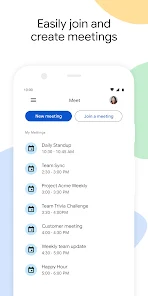
Using Google Meet is straightforward. After you download the app, you just open it and sign in with your Google account. To start a meeting, you tap the "New meeting" button. You can then instantly start a call and share the link with others, or schedule one for later in Google Calendar. As a real user, my top tip is to always check your audio and video before joining. There's a handy "Check your audio and video" button right on the joining screen. Another simple tip is to use the background blur or custom backgrounds if your room is messy – it's a lifesaver! During the call, the layout is clean. You can pin a speaker to focus on them or see everyone in a grid. For sharing, you can present your entire screen or just a specific window. It feels very intuitive, like the tools are right where you expect them to be.
Compared to similar apps like Zoom or Microsoft Teams, I often choose Google Meet for its sheer simplicity and integration. If you live in the Google ecosystem with Gmail and Calendar, Meet fits in perfectly. Meetings scheduled in Calendar appear right in the app. Zoom is great and has more bells and whistles for large webinars, but for quick, no-fuss calls with friends or colleagues, Meet is my go-to. It feels lighter and faster to start. Teams is powerful for office collaboration, but can feel heavy for just a video call. Meet strips it down to the essentials: see and hear people clearly, share your screen, and chat. The fact that it's free for high-quality one-on-one calls that can last 24 hours is unbeatable for personal use. It just works without making you think too much.
features
- 🎯 Crystal-Clear Video Calls: The primary function is reliable, high-quality video and audio conferencing. Compared to similar apps, Meet's video quality is consistently stable, even on slower connections, which isn't always the case with others.
- 🎯 Frictionless Scheduling & Joining: It deeply integrates with Google Calendar. Creating a meeting link is instant, and joining is just one click from a calendar invite. This seamless flow stands out against apps that require more steps to schedule.
- 🎯 Live Captions & Background Features: It offers real-time captions in multiple languages, which is a fantastic accessibility feature. The background blur and replacement tools are also more polished and easier to use than many competitors' versions.
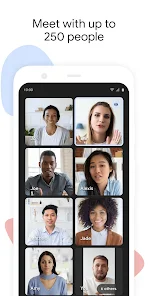
- 🎯 Secure & Scalable Meetings: It provides strong security by default (like encryption) and can scale from a quick 1:1 chat to large calls of 100 participants for free. This balance of security and scale is a key differentiator.
pros
- ✅ Simplicity & Speed: It's incredibly easy to use. Starting or joining a call takes seconds. Compared to similar apps, the interface is less cluttered, making it perfect for non-tech-savvy users.
- ✅ Deep Google Integration: If you use Gmail, Calendar, or Drive, Meet works seamlessly within that ecosystem. This level of native integration is something standalone apps struggle to match.
- ✅ Reliability & Performance: The call quality is consistently good with minimal drops. Google's infrastructure ensures it runs smoothly, often performing better than other apps on the same network.
cons
- ⚠️ Limited Free Group Call Duration: The 60-minute limit on free group calls (3+ people) is a constraint. Apps like Zoom sometimes offer longer free durations for small groups.
- ⚠️ Fewer Fun Interactive Tools: It lacks some of the interactive features like advanced polls or whiteboards that apps like Zoom or Teams have built-in for engagement.












































