

Life360: Live Location Sharing
LifestyleLatest APK
DownloadScreenshots
Related Apps
![]()
Pocket FM: Audio Series
![]()
FalFal: Astrology, Tarot, Love
![]()
Google Drive
![]()
Yuka - Food & cosmetic scan
![]()
GroupMe
![]()
AgeCam: Face Age Changer App
![]()
Air Horn Prank (Loud Joke)
![]()
Palm Secret - Aging&Cartoon
![]()
YouTube
![]()
Anime Girl Wallpapers
![]()
Doodle Art: Magic Drawing App
![]()
Moises: The Musician's AI App
![]()
Zodiac Palm Reader: MagicWay
![]()
DeepSeek - AI Assistant
![]()
Volume Control Sound Launcher















About this app
 NameLife360: Live Location Sharing
 CategoryLifestyle
 PriceFree
 Safety100% Safe
 DeveloperLife360
 LabelLifestyle
editor reviews
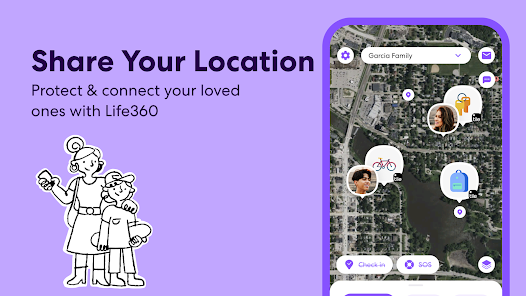
Life360 is a family safety app designed to help you keep track of your loved ones. I started using it about three years ago when my oldest got a phone. You can download it from Google Play or the Apple App Store for free. It has over 100 million installs on Google Play alone, which shows how many people trust it. You do need to create an account and set up a Circle, which is just a private group for your family. The basic features are free, but there is a premium subscription called Life360 Plus that adds more stuff like unlimited location history and crime reports. There are ads in the free version, but they are not too annoying. The main point of the app is to see where your family members are in real time. It gives you peace of mind knowing your kids made it to school or your spouse is on their way home. You can also set up alerts for when someone arrives or leaves a place.
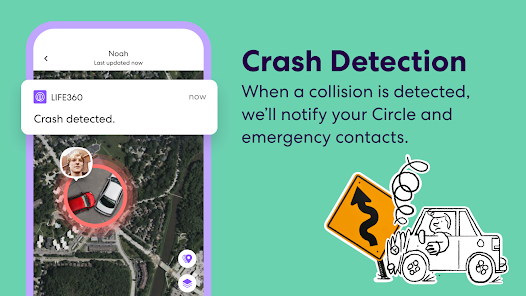
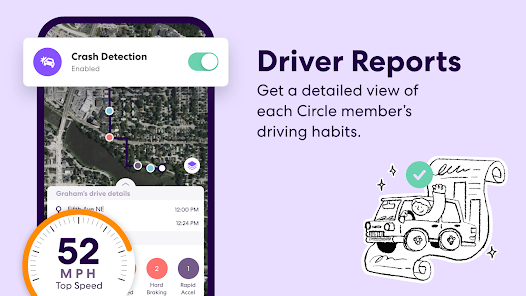
Using Life360 is pretty straightforward. After you download and install the app, you create your Circle and send invites to family members. Once they accept, everyone can see each other on a map. I use it every day to check on my kids after school. A simple tip I learned is to set up Place Alerts for important locations like home, school, and work. That way, you get a notification when someone arrives or leaves without having to open the app all the time. Another useful feature is the Driver Report, which shows speed, phone usage, and hard braking. It helps me talk to my teen about safe driving. The app also has a panic button feature that sends an alert to your Circle if someone needs help. I like that you can customize notification settings for each person, so you are not getting spammed with updates. The app runs in the background and does not drain the battery too much if you adjust the settings.
I have tried a few other location sharing apps like Google Maps and Find My from Apple. Google Maps can share your location too, but it is not made for families. It feels more like a temporary feature. Find My works well if everyone uses Apple devices, but my brother uses Android, so it does not work for us. Life360 works on both platforms without any issues. Another app I tried was FamiSafe, but it felt too complicated with all the extra controls. Life360 is simpler and more focused on just location sharing. What really made me choose Life360 is the community aspect. You can create multiple Circles, like one for immediate family and another for extended relatives. It feels like a real support system. The app also has a feature called SOS where you can send your location to emergency contacts. That extra safety layer is why I stick with it. Even with some minor bugs, it is the best option I have found for keeping my family connected.
features
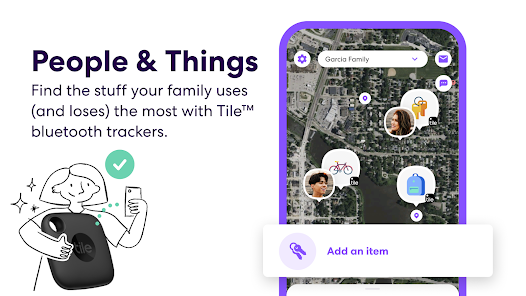
- 🟢 Real-time location tracking is the core feature. Everyone in your Circle can see each other on a live map. This is more reliable than Google Maps location sharing, which sometimes lags or stops updating.
- 🟢 Place Alerts work great. You can set up locations like home, work, or school. The app notifies you when someone arrives or leaves. Apple's Find My does not have this feature built in for groups.
- 🟢 Driver Report is very useful for parents. It tracks speed, phone use, and hard braking. This helps me talk to my teen about safe driving. Google Maps does not offer this kind of detailed report for families.
- 🟢 The SOS feature stands out. In an emergency, you can send an alert to your Circle with your location. This is something Find My only does for individuals, not groups. It adds a real safety net for our family.
pros
- ✅ Easy setup and use. Life360 is very simple to install and get going. Compared to FamiSafe, which has too many steps, Life360 feels smooth and straightforward for everyday use.
- ✅ Cross-platform support. It works on both Android and iOS without any issues. Find My only works on Apple devices, so Life360 is better for families with mixed phones.
- ✅ Battery management is good. The app drains less battery than similar apps like Google Maps when sharing location continuously. You can also tweak settings to save more power.
cons
- ❌ The free version has ads. They are not terrible, but they pop up sometimes. Google Maps has no ads at all for location sharing.
- ❌ premium subscription is pricey. The Plus plan costs money for extras like unlimited history. Find My is completely free.















































