

Screenshots
Related Apps
![]()
Broken Screen Prank
![]()
Fingerprint Scanner App
![]()
Firefox Fast & Private Browser
![]()
Allergy Plus by Pollen.com
![]()
Find My Phone By Clap, Whistle
![]()
Planner 5D: Home Design, Decor
![]()
Ghost Detector Real Life Radar
![]()
Pride Quiz LGBTIQ+
![]()
Galaxy Starry Keyboard Backgro
![]()
Instagram
![]()
Fun Fact- My Personal Fact
![]()
Audible: Audio Entertainment
![]()
Photo Frames
![]()
Photo Collage Maker & Editor
![]()
Japan Timetable & Route Search















About this app
 NameBitMind: AI Detector & Creator
 CategoryProductivity
 PriceFree
 Safety100% Safe
 DeveloperBitMindAI
 LabelTools
editor reviews
BitMind is an AI detection and creation app in the utilities category that focuses on identifying AI-generated content. I first heard about this app when everyone started talking about fake images online. It launched in late 2023 and you can find it on Google Play and the App Store. The download is free and the app has over 100,000 installs on Google Play alone. You don't need to register an account to use the basic features, which I really like because I just want to check stuff quickly. There are no annoying ads popping up every second. Some advanced features require a subscription, but the free version works fine for everyday use.
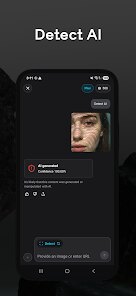
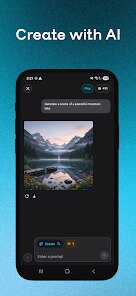
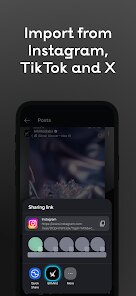
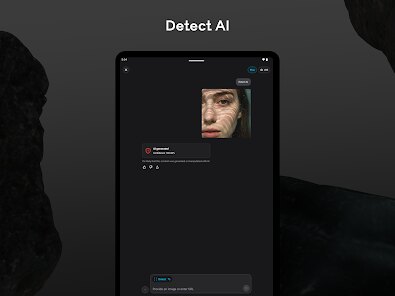
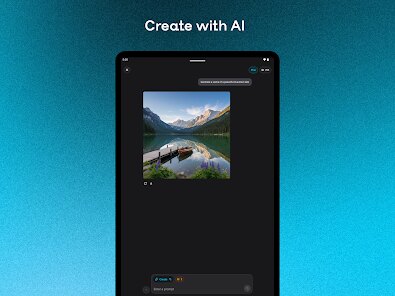
Using BitMind is pretty straightforward. When I see a suspicious image on social media, I just open the app and upload it. The app runs a check and tells me if it was made by an AI or a human. I usually check photos friends send in group chats or news articles that seem off. My tip is to always use clear images because blurry ones give less accurate results. You can also create simple AI images inside the app using text prompts. I once used it to make a funny meme for my brother's birthday. The whole process feels fast and the interface is clean, so even my mom could use it without help.
There are other AI detection apps out there like Originality.ai and GPTZero, but BitMind stands out for me because it is designed for visual content. Those other tools focus more on text, which is not what I need. I chose BitMind because it combines detection and creation in one place, so I do not have to switch between different apps. Plus, the fact that it is available on Google Play makes it super easy to install and use on my phone. No desktop required. The user interface is simpler than others I have tried. It feels less like a tool for experts and more like something made for regular people, which is why I keep using it.
features
- 🛡️ BitMind scans images to tell if they are AI-made, which helps me avoid fake news and deepfakes. Compared to a popular app like AI or Not, BitMind gives faster results and works better with lower quality images I find online.
- 🎨 The creation feature lets me generate AI images directly in the app using text prompts. Other similar apps like DALL-E require a separate platform or web browser, so having this on Google Play is much more convenient for mobile users.
- 🧠 The app uses advanced algorithms but still keeps the interface simple. When I tried Snapchat's AI features, they felt more like toys. BitMind feels more serious and reliable for actual detection work, which matters when I need to trust the results.
- 📱 BitMind works smoothly on both Android and iOS without any lag. Other detection tools often crash on my phone or force me to use a desktop version. This app runs perfectly after a quick install from the app store.
pros
- ✔️ The detection accuracy is impressive. BitMind catches AI images that fool other tools, like GPTZero, which only checks text. This makes it my first choice on Google Play for checking visuals.
- ✔️ The creation tool is easy to use. I can make simple AI images without any learning curve, while similar apps like Midjourney need complicated commands and setup.
- ✔️ The free version is actually usable. Many apps hide basic features behind paywalls, but BitMind gives real value without asking for payment upfront.
cons
- ⚠️ The advanced features require a subscription, which feels expensive compared to some free alternatives on Google Play.
- ⚠️ The app sometimes fails to detect AI in heavily edited images, a problem I also notice in similar tools like Hive Moderation.
- ⚠️ There is no batch upload option, so checking multiple images takes time. Other apps allow bulk scanning, which would be a nice upgrade.













































