

Screenshots

Related Apps
![]()
Broken Screen Prank
![]()
Fingerprint Scanner App
![]()
Firefox Fast & Private Browser
![]()
Allergy Plus by Pollen.com
![]()
Find My Phone By Clap, Whistle
![]()
Planner 5D: Home Design, Decor
![]()
Ghost Detector Real Life Radar
![]()
Pride Quiz LGBTIQ+
![]()
Galaxy Starry Keyboard Backgro
![]()
Instagram
![]()
Fun Fact- My Personal Fact
![]()
Audible: Audio Entertainment
![]()
Photo Frames
![]()
Photo Collage Maker & Editor
![]()
Japan Timetable & Route Search















About this app
 NameAI Mirror: AI Art Photo Editor
 CategoryGenerative AI
 PriceFree
 Safety100% Safe
 DeveloperPOLYVERSE INC.
 LabelPhotography
editor reviews
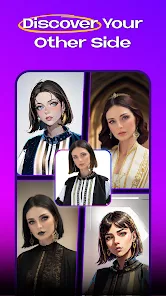
AI Mirror is an AI art photo editor app used for turning your photos into stunning AI-generated artwork. It's a creative tool that launched a few years back and is available on both Google Play and the App Store. I downloaded it from Google Play, and it has millions of installs, which shows how popular it is. The app is free to download and install, which is great for trying it out. You don't need to register an account to start using the basic features, which I really appreciate for quick access. However, to save your creations or use more advanced styles, you might need to sign in. The app does have in-app purchases for premium styles and features, and you'll also see some ads, but they aren't too intrusive in my experience.
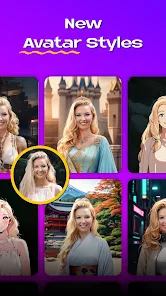
Using AI Mirror is pretty straightforward and fun. After you install the app, you just open it and either take a new photo or pick one from your gallery. Then, you choose from a huge variety of AI art styles—things like anime, fantasy, oil painting, or even cyberpunk. You tap the style you like, and the app processes your photo in seconds. A simple tip from a user: sometimes the results are better if you use a clear, well-lit photo with a simple background. I also found that playing with the intensity slider can give you more control over how strong the AI effect is. It's become my go-to app for creating unique profile pictures or just having fun with friends' photos. The process is so fast that you can try dozens of styles in just a few minutes.
Compared to other similar apps like PicsArt or Prisma, I often choose AI Mirror. While those apps are great too, AI Mirror feels more focused on the AI art transformation. PicsArt has a lot of general editing tools, which can be overwhelming if you just want quick AI art. Prisma is also good for artistic filters, but I find AI Mirror's styles to be more diverse and sometimes more dramatic. The reason I stick with AI Mirror is its simplicity and the sheer number of creative options. It doesn't try to do everything; it does one thing really well. For someone who isn't a professional designer but loves to create cool images, this app hits the sweet spot. The output often gets compliments, making the download worth it.
features
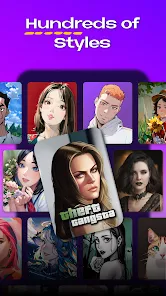
- 🎨 Massive style library: It offers hundreds of AI art filters, from classic paintings to futuristic themes, much more than many basic photo editors on Google Play.
- 🎨 One-tap transformation: The core function is incredibly fast; you get results in seconds, which is perfect for quick sharing without complex edits.
- 🎨 User-friendly design: The interface is clean and simple, making it easy for anyone to install and start creating immediately, unlike some cluttered competitors.
- 🎨 Regular new content: The app frequently adds new styles and challenges, keeping the experience fresh compared to static similar apps.
pros
- 👍 Style variety and quality: The AI art styles are unique and often produce higher-quality, more detailed images than many free alternatives on Google Play.
- 👍 Speed and efficiency: Processing is very quick, allowing for instant gratification, which is a big plus over apps that make you wait.
- 👍 Ease of use: Its straightforward process—download, choose photo, select style—is simpler than many multi-function editing apps.
cons
- 📌 Watermarks on free outputs: Some free versions add a small watermark, whereas a few competing apps offer watermark-free basic saves.
- 📌 Premium wall: The best styles are locked behind a subscription, which can be limiting compared to apps with a one-time purchase option.














































