
Screenshots
Related Apps
![]()
Pocket FM: Audio Series
![]()
FalFal: Astrology, Tarot, Love
![]()
Google Drive
![]()
Yuka - Food & cosmetic scan
![]()
GroupMe
![]()
AgeCam: Face Age Changer App
![]()
Air Horn Prank (Loud Joke)
![]()
Palm Secret - Aging&Cartoon
![]()
YouTube
![]()
Anime Girl Wallpapers
![]()
Doodle Art: Magic Drawing App
![]()
Moises: The Musician's AI App
![]()
Zodiac Palm Reader: MagicWay
![]()
DeepSeek - AI Assistant
![]()
Volume Control Sound Launcher















About this app
 NameReverse Voice - Voice Changer
 CategoryEntertainment
 PriceFree
 Safety100% Safe
 DeveloperHammad67
 LabelEntertainment
editor reviews
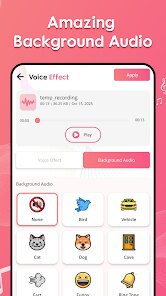
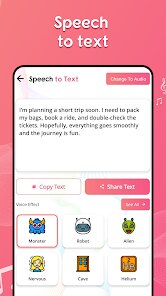
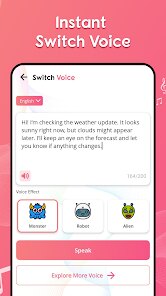
Reverse Voice - Voice Changer is a fun audio app in the entertainment category that lets you record and play your voice in reverse. I found this app on Google Play a few weeks ago, and it's a simple tool for making funny audio clips or just messing around with sounds. It was launched by a developer named Hammad67 and is free to download, though it has some ads while you use it. You don't need to register an account to start, which I liked, and there are no in-app purchases that I noticed. The app has been installed over 10,000 times according to Google Play, and it works on both Android and iOS platforms. I use it mostly to create silly messages for my friends or to see how words sound when played backwards. It's not a big name app, but it does what it says without any extra fluff.
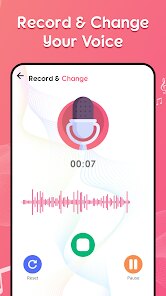
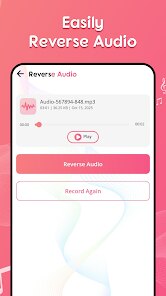
Using Reverse Voice - Voice Changer is pretty straightforward. First, I open the app and hit the record button to capture my voice. Then I tap the reverse option, and it instantly plays my audio backwards. A tip I learned is to speak slowly so the reversed version is clearer and funnier. You can also save your reversed clips to your phone, which is handy for sharing on social media. I usually record short phrases or jokes, and the app processes them fast. Sometimes I use it to create spooky sounds for pranks. The interface is basic, but that makes it easy for anyone to figure out. There's no clutter, just a few buttons for record, play, and save. If you want to try something different, you can also loop the reversed audio for a weird effect.
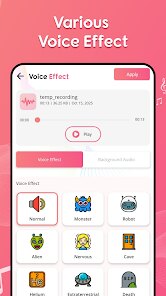
Comparing it to other voice changer apps like Voice Changer Plus or Funny Voice, Reverse Voice is much simpler. Those apps have tons of effects like robot or helium, but they can be overwhelming. I chose Reverse Voice because I just needed one thing: reverse playback. Other apps on Google Play often require subscriptions or hide basic features behind paywalls. This app keeps it free and focused. It's not as polished as big apps, but for a quick laugh, it works better for me. I like that it doesn't ask for permissions to access my contacts or messages, which some apps do. If you enjoy simple audio tricks, this is a solid pick from the Google Play store.
features
- 🎤 Reverse Playback: The main function is to record your voice and play it backwards. You can do this instantly without any editing skills. Apps like Voice Changer Plus have this too, but they bury it in menus. Here, it's the star feature.
- 💾 Save Audio: You can save reversed clips directly to your phone. This is useful for sharing on apps like WhatsApp or TikTok. Similar apps like Funny Voice require you to export through extra steps, which is annoying.
- ⚡ Simple Interface: The app has just three buttons: record, reverse, and play. There's no learning curve. Other apps on Google Play often have complex sliders and effects that confuse new users.
pros
- 👍 Free and No Registration: You can download and use it without signing up. Many similar apps on Google Play ask for email or social login first.
- 👍 Fast Processing: The reverse effect plays immediately after recording. Apps like Voice Mod Pro lag sometimes, but this one is snappy.
- 👍 Lightweight Size: It doesn't take up much space on my phone. Other audio apps often bloat with extra features I never use.
cons
- 👎 Limited Features: It only does reverse playback. Apps like Voice Changer Plus offer multiple effects, so this feels barebones.
- 👎 No Pitch Control: You can't adjust pitch or speed. Similar tools on Google Play let you tweak audio, which would be nice here.












































