

Peacock TV: Stream TV & Movies
EntertainmentLatest APK
DownloadScreenshots
Related Apps
![]()
Pocket FM: Audio Series
![]()
FalFal: Astrology, Tarot, Love
![]()
Google Drive
![]()
Yuka - Food & cosmetic scan
![]()
GroupMe
![]()
AgeCam: Face Age Changer App
![]()
Air Horn Prank (Loud Joke)
![]()
Palm Secret - Aging&Cartoon
![]()
YouTube
![]()
Anime Girl Wallpapers
![]()
Doodle Art: Magic Drawing App
![]()
Moises: The Musician's AI App
![]()
Zodiac Palm Reader: MagicWay
![]()
DeepSeek - AI Assistant
![]()
Volume Control Sound Launcher















About this app
 NamePeacock TV: Stream TV & Movies
 CategoryEntertainment
 PriceFree
 Safety100% Safe
 DeveloperPeacock TV LLC
 LabelEntertainment
editor reviews
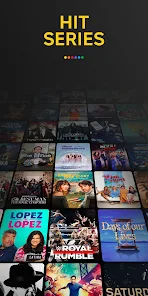
Peacock TV is a streaming app in the entertainment category that focuses on TV shows and movies. I downloaded it from Google Play after hearing about its free content library. The app launched in 2020 and works on Android and iOS, so you can install it on your phone or tablet. It has over 50 million installs on Google Play alone, which shows how many people use it. The app is free to download, but you can choose a paid plan to unlock more stuff. You don't need a credit card for the free version, which is nice. However, there are ads in the free tier, and in app purchases let you upgrade to Premium Plus for ad free viewing. I like that you can start watching right away without signing up, though registration is needed for saving your progress.
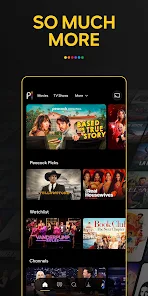
Using Peacock TV is pretty simple. You open the app and browse through categories like trending shows, live sports, or movies. I usually search for my favorite series and hit play. A tip from my own use is to check the 'Channels' section, which has live TV style programming. It's like flipping through real TV, but on your phone. Another trick is to download episodes on Wi-Fi to watch offline later, which helps when I'm commuting. The app keeps track of where I stopped, so I don't miss a beat. The interface is clean, but sometimes the loading takes a bit longer than I'd like. Still, for a free service, it works well enough for casual viewing.
I've tried other streaming apps like Hulu and Tubi, but Peacock TV stands out for a few reasons. First, it has original shows like 'The Office' that I can't find on other free platforms. Tubi is also free, but it lacks the same live sports options. Hulu costs more and has ads anyway, so Peacock feels like a better deal for the price. I also like that Peacock TV updates its library often, while some apps get stale. It's not perfect, but for a quick binge session, it's my go to on Google Play. The app doesn't feel bloated either, which is a big plus compared to others.
features
- 🌟 Stream thousands of hours of content for free without paying anything, unlike Netflix which requires a subscription from day one. This is great for budget conscious users like me who just want to watch a few shows casually.
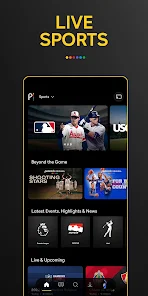
- 🌟 Live sports and news are included in the free tier, which is rare among free apps like Pluto TV. I can watch Premier League games or breaking news without extra charges, making it more versatile than other options.
- 🌟 User profiles let multiple people share one account, similar to Disney+, but easier to set up. Each person gets their own watchlist, which reduces arguments over what to watch next in my household.
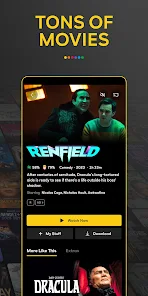
- 🌟 Download option works for offline viewing, which beats Tubi that doesn't offer downloads at all. I save episodes on Wi-Fi before flights and enjoy them without data use.
pros
- 👍 The free content library is huge, way bigger than what Crackle offers. I found movies from Universal and NBC shows that are hard to get elsewhere. It's a solid choice for nostalgia.
- 👍 No credit card needed for free plan, so you can test it risk free. This is better than Hulu's trial that requires payment info upfront. I appreciate the transparency.
- 👍 Frequent updates to the catalog keep things fresh. Unlike some apps that rarely add new titles, Peacock TV refreshes every month, giving me new reasons to open the app.
cons
- 👎 Ads are constant in the free version, even more than Tubi. They interrupt shows often, which gets annoying during intense scenes. I wish they'd space them out better.
- 👎 Searching for specific shows feels sluggish compared to Netflix. The autocomplete is slow, and sometimes results don't match my query. It could use a smarter algorithm.
- 👎 Some content is locked behind the paid plan, which feels misleading when the app is advertised as free. Other apps like Pluto TV don't hide their best stuff.














































