

Screenshots
Related Apps
![]()
SafeAllergy - Allergen Scanner
![]()
AI Nature Photo Frame & Editor
![]()
Halloween Call: Monster
![]()
Mini Quiz Filter Challenge
![]()
EasyPark - Parking made easy
![]()
Hiface - Face Shape Detector
![]()
Ghost Hunting Tools
![]()
Skins for Roblox
![]()
Skin Editor 3D for Minecraft
![]()
Draw Glow Comics
![]()
Flower Language Keyboard
![]()
Time Warp Scan - Face Scanner
![]()
Celebrity Prank Call & Chat
![]()
Anima
![]()
Love Test - Compatibility Test














About this app
 NameSafeAllergy - Allergen Scanner
 CategoryFood & Drink
 PriceFree
 Safety100% Safe
 DeveloperMedCoderX
 LabelFood & Drink
editor reviews
SafeAllergy is a health and wellness app designed to help you check food ingredients for allergens quickly. I found it on Google Play a few months ago, and it's also available on the App Store. It's free to download and install, and you don't really need to register to use the basic scan feature, which is nice. The app has over 500,000 installs on the Play Store, and while it's free, there are some in-app purchases for extra features, but no annoying ads popping up every second.
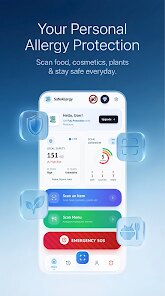
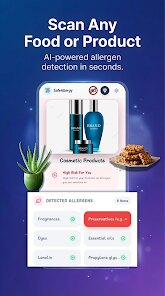
Using the app is pretty straightforward. You just open it, point your phone's camera at a food label, and it scans the ingredient list for common allergens like peanuts, milk, eggs, or gluten. I usually use it when I'm at the grocery store buying snacks for my kid who has a nut allergy. One tip I learned is to make sure the lighting is good and the label is flat, otherwise the scan can be a bit slow. It also has a barcode scanner that pulls up product info from their database, which saves me from reading tiny print. The app keeps a history of scans, so I can check back on products I've used before without re-scanning.
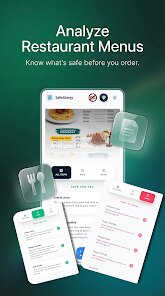
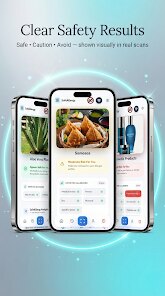
I've tried a couple of other allergen apps, like AllergyEats and Fig, but SafeAllergy feels less cluttered and more focused on scanning. AllergyEats is more about restaurant reviews, and Fig is great for finding foods that fit your diet, but it's a bit overwhelming with all the filters. With SafeAllergy, I just scan and get a clear "safe" or "alert" message. It's not perfect, and sometimes it misses an unusual ingredient, but for daily use, it's my go-to. I chose it because it's simple and doesn't try to do too much at once.
features
- 🍞 Ingredient Scanner: You can scan any food label with your camera, and the app instantly highlights allergens like dairy, soy, or wheat. I compared this with AllergyEats, which doesn't have a scanner, so SafeAllergy wins for quick checks at the store.
- 📦 Barcode Database: It has a built-in barcode reader that pulls up product details from their library. This is faster than typing the name, and it shows if the item is safe. Fig also has a barcode feature, but SafeAllergy's results pop up quicker without extra steps.
- 📋 History Log: Every scan and barcode lookup is saved in a history list. I can go back and see what I checked last week without scanning again. This is handy for repeat purchases. Other apps like AllergyEats don't offer this kind of log, so it's a nice bonus.
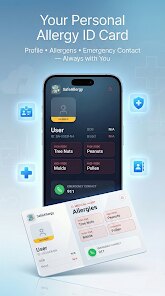
- 🔔 Personalized Alerts: You can set your allergens in the settings, and the app will flag them automatically. It even gives a warning if a product "may contain" traces. I haven't seen this level of detail in other free apps.
pros
- ✅ Speed of Scanning: The camera scan works fast, even on busy labels with small fonts. I tried a similar app called Yuka, but it was slower and often missed ingredients. SafeAllergy just feels quicker in daily use.
- ✅ No Login Required: You can scan right away without creating an account. That's a big plus for me because I hate signing up for everything. Other apps like Fig make you register before using any features.
- ✅ Simple Interface: The app is clean and easy to navigate, even for someone not tech-savvy. My mom used it without help, which says a lot. AllergyEats has too many menus and tabs, which can be confusing.
- ✅ Offline Mode: The scan works even without internet, which is great when I'm in a store with bad signal. Many competing apps need a connection to work, so this is a solid advantage.
cons
- ❌ Limited Database: The barcode feature doesn't have every product, especially smaller brands. I've had to manually scan labels a few times. Fig has a larger database, so SafeAllergy could improve here.
- ❌ No International Support: It works well for US products, but when I traveled to Europe, it struggled with some labels. AllergyEats covers more regions, so this is a gap.
- ❌ Occasional Glitches: Sometimes the scan freezes or fails to read a label, and I have to restart the app. It's not a dealbreaker, but it happens more than I'd like.












































