
Screenshots
Related Apps
![]()
Pocket FM: Audio Series
![]()
FalFal: Astrology, Tarot, Love
![]()
Google Drive
![]()
Yuka - Food & cosmetic scan
![]()
GroupMe
![]()
AgeCam: Face Age Changer App
![]()
Air Horn Prank (Loud Joke)
![]()
Palm Secret - Aging&Cartoon
![]()
YouTube
![]()
Anime Girl Wallpapers
![]()
Doodle Art: Magic Drawing App
![]()
Moises: The Musician's AI App
![]()
Zodiac Palm Reader: MagicWay
![]()
DeepSeek - AI Assistant
![]()
Volume Control Sound Launcher















About this app
 NameTuya- Smart Life, Smart Living
 CategoryLifestyle
 PriceFree
 Safety100% Safe
 DeveloperTuya Smart Inc.
 LabelLifestyle
editor reviews
Tuya- Smart Life, Smart Living is a smart home app in the lifestyle category that focuses on connecting and controlling all your smart devices from one place. I found this app when I bought a smart plug from a local shop, and the package had a QR code pointing to Google Play. It is completely free to download from both Google Play and App Store. You need to sign up with an email or phone number, but after that it works smoothly. The app has many installs, over 10 million downloads on Google Play alone, which shows how popular it is. There are no forced in app purchases, but some advanced features require a subscription like cloud storage for camera footage. I don't mind ads because they are not annoying, just small banners here and there. The app supports hundreds of brands like smart lights, switches, sensors, cameras, and vacuum cleaners. It was launched a few years back and keeps updating often. I like that I can control everything from my phone without needing separate apps for each device.
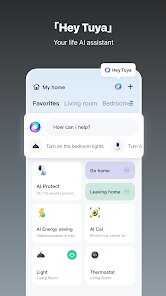
Using Tuya- Smart Life, Smart Living is really simple. You start by adding a device in the app, and it scans your Wi-Fi to find gadgets nearby. I just press the add button, put the device in pairing mode, and in seconds it connects. After that, you can turn lights on or off, set schedules, or create scenes like “Good Night” to turn off all lights and lock doors together. I often use voice control with Google Assistant or Alexa, which makes it even easier. A tip I give to friends is to make sure all devices are on a 2.4GHz Wi-Fi network, because some devices do not work on 5GHz. Also, you can share device control with family members, so everyone in my house can use it. The interface is clean and not cluttered, so even my parents find it easy to use.
When compared to other smart home apps like Smart Life or Samsung SmartThings, Tuya- Smart Life, Smart Living stands out because it works with more brands. I tried SmartThings before, but it only supported Samsung devices or a few others. This app supports generic brands that I buy online, and the setup is much faster. Also, the app update frequency is good, and bugs get fixed quickly. I prefer this app because it does not lock me into one ecosystem. I can buy cheap smart bulbs from any store and they usually work. For me, that flexibility is important. The only downside is that some advanced automation options are limited, but for daily use it is perfect.
features
- 📱 Connect and control smart devices: This app lets you pair smart lights, plugs, sensors, and cameras with ease. I added my smart bulb in under two minutes. Compared to SmartThings, which needs specific brands, this app works with more generic devices from Amazon or local stores.
- ⏰ Set schedules and scenes: I use schedules to turn off the AC at night automatically. The scene feature is great for grouping actions. For example, my "Leaving Home" scene turns off all lights and arms the camera. SmartThings has similar functions, but Tuya- Smart Life, Smart Living allows more custom actions without extra cost.
- 🎤 Voice control integration: It works with Alexa and Google Assistant. I just say "Turn off the living room lights" and it happens. In my experience, the response time is faster than with SmartThings. The app also supports IFTTT for advanced automation, which is a plus.
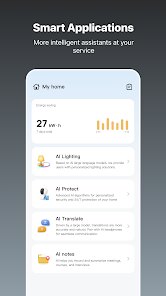
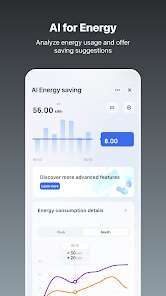
- 📊 Real-time device status: Each device shows if it's on or off, battery level for sensors, and power usage for smart plugs. I find this useful to monitor energy consumption. SmartThings has this too, but the data here is more detailed and updates instantly.
pros
- 💡 Wide device compatibility: This app works with hundreds of brands. I have a mix of cheap Chinese smart plugs and name-brand sensors, and they all work without issue. SmartThings is limited to Samsung or certified brands, so Tuya- Smart Life, Smart Living is more flexible.
- 🔒 Simple setup process: Adding a device takes just a few seconds. I never face connection errors, which happened often with SmartThings. For someone who is not tech-savvy, this is a big advantage.
- 📱 Clean user interface: The app is not cluttered. All controls are in plain view. I can quickly check device status or adjust settings. SmartThings has a more complex layout with nested menus, so I prefer the simplicity here.
cons
- 🔄 Limited automation for advanced users: The app lacks complex if-then logic. For example, I cannot set a rule like "turn on light only if motion detected after sunset." SmartThings offers more automation options in its app.
- ⚠️ Dependence on cloud servers: When my internet goes down, I lose control of devices. SmartThings also has this issue, but some users mention local control options in that app.















































