
Screenshots


Related Apps
![]()
Pocket FM: Audio Series
![]()
FalFal: Astrology, Tarot, Love
![]()
Google Drive
![]()
Yuka - Food & cosmetic scan
![]()
GroupMe
![]()
AgeCam: Face Age Changer App
![]()
Air Horn Prank (Loud Joke)
![]()
Palm Secret - Aging&Cartoon
![]()
YouTube
![]()
Anime Girl Wallpapers
![]()
Doodle Art: Magic Drawing App
![]()
Moises: The Musician's AI App
![]()
Zodiac Palm Reader: MagicWay
![]()
DeepSeek - AI Assistant
![]()
Volume Control Sound Launcher















About this app
 NameSkins Clothes Maker for Roblox
 CategoryEntertainment
 PriceFree
 Safety100% Safe
 DeveloperPixelvoid Games Ltd
 LabelTools
editor reviews
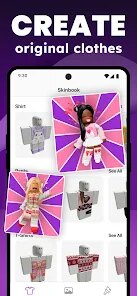
I've been using Skins Clothes Maker for Roblox for a while now, and it's a fashion design app designed to help you create custom outfits and skins for your Roblox avatar. If you're into personalizing your character on Roblox, this is the app you want. It launched a few years back and you can get it on both Google Play and the App Store. It's super popular, with millions of downloads on Google Play alone. The best part? It's completely free to download and install. You don't even need to register or sign up to start using it, which is great for jumping right in. There are no annoying ads popping up all the time, and while there are some in-app purchases for special design packs or tools, you can do a ton of creative work without spending a dime. It feels very generous for a free app.
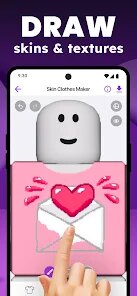
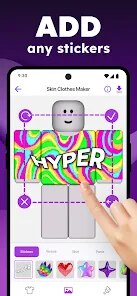
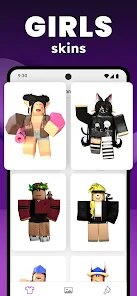
Using the app is pretty straightforward. After you install it, you open it up and you're greeted with a blank avatar template. You can pick from a huge library of base clothing items, hairstyles, and accessories. The real fun starts with the drawing and painting tools. You can zoom in and add tiny details, change colors with a simple tap, and use layers to build up complex designs. A simple tip from a regular user: start with a basic idea and use the 'undo' button liberally! Experimenting is key. I often sketch a rough outline first, then fill in colors. Another handy feature is the ability to import images as a reference or even as a texture. Once your skin or clothing item is done, you can save it to your device and then upload it directly to your Roblox account to wear it in-game. The process from app to game is seamless.
Compared to other similar apps like Roblox Avatar Creator or various dress-up games, Skins Clothes Maker stands out because it's purely a creator tool. Other apps might just let you mix and match pre-made items. This one gives you a blank canvas, which is way more powerful if you have specific ideas. I chose it over others because I wanted to make truly unique outfits that nobody else had, not just recycle existing combinations. Some apps feel more like games, but this feels like a proper, lightweight design studio made for Roblox fans. It doesn't try to do too much; it focuses on the creation part and does it well, which is why I keep coming back to it instead of the more cluttered alternatives on Google Play.
features
- 🎨 Full Custom Canvas: Unlike apps that only offer pre-set items, this gives you a blank avatar model and full drawing tools (brushes, fill, layers) to design every detail from scratch, offering true originality.
- 🔄 Direct Roblox Integration: The app has a smooth export and upload flow directly to your Roblox inventory, which is more streamlined than many creator tools that require complicated file transfers.
- 📂 Massive Asset Library: It comes packed with a huge free library of base templates, patterns, and accessories to use as a starting point, which is more extensive than what's typically found in similar free apps.
- ✏️ User-Friendly Design Tools: The interface is surprisingly intuitive for a design app, with simple pinch-to-zoom and tap-to-color controls, making it more accessible than professional software like Photoshop for Roblox skin creation.
pros
- 👍 Truly Free Core Experience: You can create and export high-quality skins without paying anything or watching ads, which is rare compared to other design apps filled with paywalls.
- 👍 Perfect for Roblox Focus: It does one job—making Roblox clothes—exceptionally well, unlike broader design apps that are less optimized for the game's specific style and format.
- 👍 Great for Beginners: The learning curve is gentle. It's easier to start here than on more complex pixel art or 3D modeling apps meant for similar purposes.
cons
- 👎 Limited Advanced Features: Tools for advanced shading or complex textures are basic compared to premium PC software, which can limit professional-grade designs.
- 👎 Occasional Performance: On older devices, the app can lag slightly when using many layers, a minor issue smoother competitors don't always have.












































